
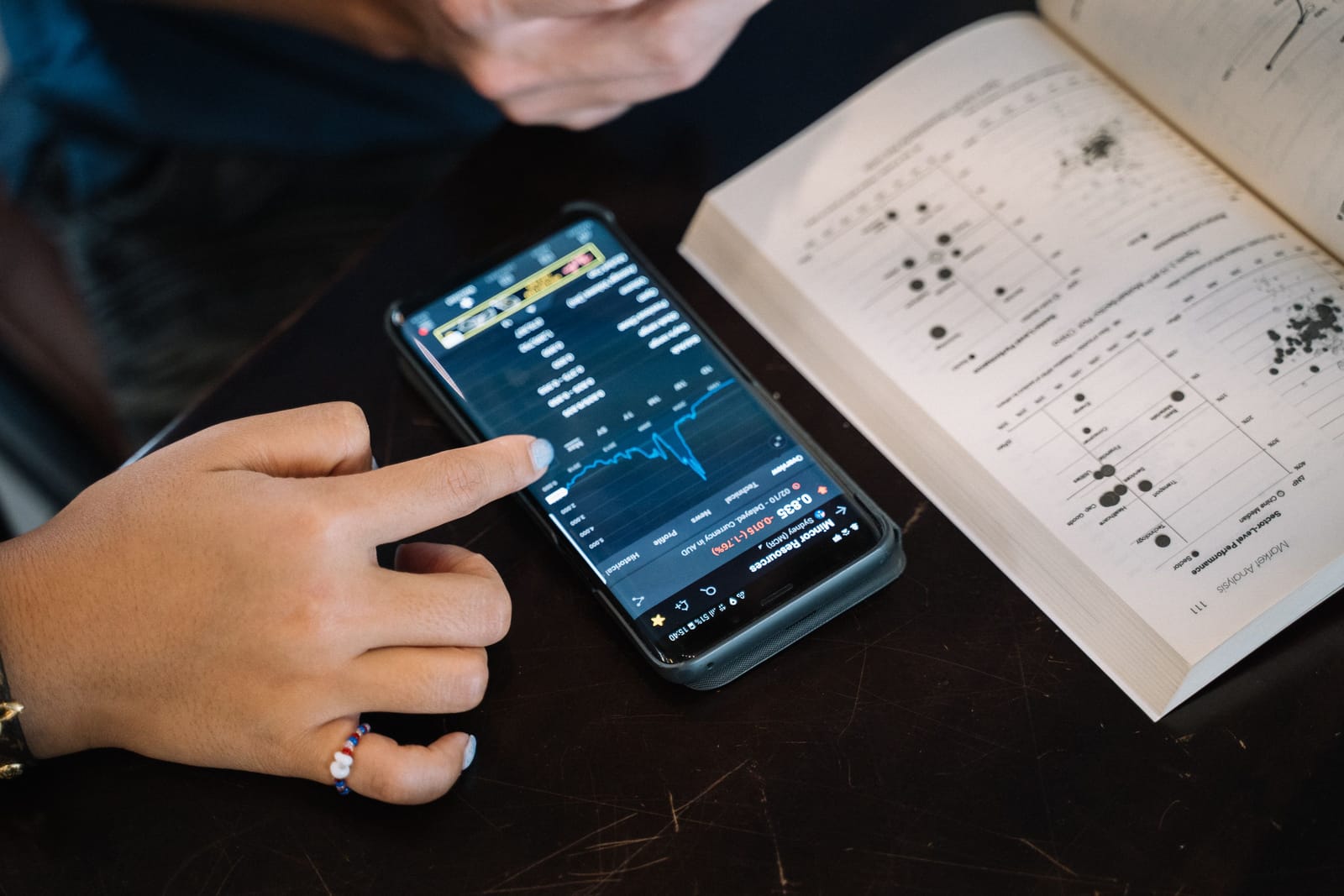
Compare the best personal finance apps for beginners to track spending, create budgets, manage bills, monitor subscriptions, save money and build better financial habits.
Introduction
Managing money can feel confusing when you are just starting. You may receive income from a job, freelance work, pocket money, business sales, or side projects, but still wonder where your money goes every month.
This is where the Best Personal Finance Apps for Beginners can help.
A good personal finance app can help you track spending, create a simple budget, monitor bills, manage subscriptions, set savings goals, review cash flow, and build better money habits step by step.
Beginners do not always need complicated investment dashboards or advanced financial reports. Most beginners need a clear picture of income, expenses, bills, savings, debt, and daily spending.
This guide compares ten of the Best Personal Finance Apps for Beginners in 2026.
For more app recommendations around finance, productivity, business, and daily digital solutions, explore Apps Hunt, where we publish practical app guides for students, freelancers, small business owners, and everyday users.
This article is for general educational purposes only. It is not financial, investment, tax, or legal advice. App features, pricing, availability, supported banks, security settings, and subscription plans may change. Always check the official website or app-store listing before signing up.
How We Selected the Best Personal Finance Apps
Personal finance apps are not all made for the same type of user. Some focus on budgeting. Others focus on subscriptions, bills, bank account tracking, debt payoff, net worth, credit score, or savings goals.
For this comparison, we considered:
- Beginner-friendly design
- Budget creation
- Expense tracking
- Bank account connection
- Manual tracking options
- Bill and subscription tracking
- Savings goals
- Debt payoff support
- Cash flow visibility
- Net worth tracking
- Credit score tools
- Free-plan usefulness
- Paid-plan value
- Mobile app availability
- Web access
- Security and privacy considerations
- Suitability for students, freelancers, families and first-time budgeters
The rankings are editorial recommendations. The best personal finance app depends on your country, bank support, budget style, income pattern, goals and comfort level with linking financial accounts.
You can also explore more money-management and budgeting guides in the Finance & Money Apps section on Apps Hunt.
Why Beginners Should Use Personal Finance Apps
Many beginners manage money by checking their bank balance. But your bank balance alone does not show the full picture.
A personal finance app can help you understand:
- How much money comes in
- Where your money goes
- Which categories cost the most
- Which subscriptions are still active
- Which bills are coming soon
- Whether you are overspending
- How much is safe to spend
- How much you can save
- Whether your debt is reducing
- Whether your net worth is growing
- Which money habits need improvement
When beginners see their spending clearly, they can make better decisions.
If you want a deeper comparison of budgeting tools, read our guide on Best Budgeting Apps to Manage Your Money.
Important Safety Note Before Linking Bank Accounts
Many personal finance apps work best when you connect bank accounts, credit cards, loans or investment accounts.
Before connecting anything, review:
- The app’s privacy policy
- Security practices
- Data-sharing rules
- Account permissions
- Bank connection provider
- Two-factor authentication
- Data deletion options
- Whether the app can move money or only read data
- Whether the app is available and regulated in your country
Never share banking passwords through unknown apps. Avoid random finance, loan or cash advance apps that request unnecessary permissions.
A finance app should help you manage money safely, not expose personal data.
1. Rocket Money — Best for Subscription Tracking and Simple Budgeting
Rocket Money is one of the most popular personal finance apps for beginners who want to understand spending and reduce unnecessary subscriptions.
The app can help users track expenses, view recurring payments, monitor subscriptions, create budgets, review spending categories and identify where money is going.
Rocket Money is especially useful for people who forget about small monthly subscriptions. These can include streaming services, cloud storage, app subscriptions, trials, memberships, fitness apps and paid tools.
For beginners, Rocket Money makes money management easier by showing spending patterns in a simple dashboard.
Key Features
- Subscription tracking
- Spending insights
- Budget creation
- Expense categories
- Bill tracking
- Recurring payment detection
- Account connection
- Spending alerts
- Savings features on supported plans
- Bill negotiation options where available
- Mobile app access
- Free and premium options
Best For
Rocket Money is best for beginners who want to track spending, find subscriptions and reduce unnecessary monthly costs.
Possible Limitation
Some features require a premium plan. Availability, bill negotiation and supported accounts may vary by country and provider.
2. Monarch Money — Best All-in-One Finance App for Households
Monarch Money is a strong personal finance app for users who want budgeting, goals, accounts, net worth and household collaboration in one place.
It can connect accounts, show transactions, track spending, create budgets, monitor financial goals, review net worth and allow household members to collaborate.
This makes Monarch useful for couples, families and users who want a complete view of their financial life.
For beginners, Monarch can be helpful because it brings different money areas into one clean dashboard.
Key Features
- Budget tracking
- Account connection
- Spending categories
- Financial goals
- Net worth tracking
- Transaction review
- Cash flow tracking
- Investment overview
- Household collaboration
- Custom dashboards
- Mobile and web access
- Subscription-based plans
Best For
Monarch Money is best for beginners who want a polished all-in-one finance dashboard for budgeting, goals and family money planning.
Possible Limitation
Monarch is a paid app after the trial. Beginners who need a free tool may prefer NerdWallet, SoFi Relay, Goodbudget Free or another free option.
3. YNAB — Best for Zero-Based Budgeting
YNAB, short for You Need A Budget, is built around a budgeting method that encourages users to give every dollar a job.
Instead of only tracking what you already spent, YNAB helps you decide what your money should do before you spend it.
This can be powerful for beginners who want to become more intentional with money.
YNAB is especially useful for people who struggle with overspending, irregular income, debt payoff, credit card spending, or month-to-month budgeting.
Key Features
- Zero-based budgeting
- Give every dollar a job method
- Budget categories
- Goal tracking
- Debt payoff support
- Loan calculator
- Account connection
- Spending reports
- Mobile and web access
- Shared budgeting options
- Learning resources
- Free trial and paid plans
Best For
YNAB is best for beginners who want to actively plan every dollar instead of only tracking spending after it happens.
Possible Limitation
YNAB has a learning curve and is not free long term. It works best when users commit to checking and updating their budget regularly.
4. Quicken Simplifi — Best for Spending Plan and Cash Flow
Quicken Simplifi is designed to help users understand income, bills, subscriptions, spending targets and savings through a Spending Plan.
Instead of forcing every user into a strict traditional budget, Simplifi helps show what money is already committed and what remains for flexible spending.
This can be useful for beginners who want a clearer monthly picture without building a complex spreadsheet.
Simplifi can also help users track recurring bills, subscriptions, watchlists, spending categories, savings goals and projected cash flow.
Key Features
- Spending Plan
- Income tracking
- Bills and subscriptions
- Spending targets
- Savings goals
- Cash flow planning
- Watchlists
- Transaction tracking
- Account connection
- Reports
- Mobile and web access
- Paid subscription plans
Best For
Quicken Simplifi is best for beginners who want a clean spending plan and cash flow view.
Possible Limitation
Simplifi is a paid product. Users who prefer manual budgeting or free tools may choose Goodbudget, NerdWallet or SoFi Relay.
5. Empower Personal Dashboard — Best for Net Worth and Money Overview
Empower Personal Dashboard is useful for users who want to see budgeting, planning and net worth in one place.
It can help users connect financial accounts, review spending, track net worth, view assets and liabilities, and monitor their broader financial picture.
Empower is especially useful for beginners who are ready to move beyond basic budgeting and want to understand overall financial growth.
It may also appeal to users who have bank accounts, credit cards, retirement accounts, investment accounts or loans and want one dashboard.
Key Features
- Net worth tracking
- Account linking
- Spending review
- Budgeting tools
- Cash flow insights
- Retirement planning tools
- Investment tracking
- Asset and liability view
- Financial planning dashboard
- Mobile and web access
- Free financial tools
- Wealth overview
Best For
Empower Personal Dashboard is best for beginners who want to understand net worth, spending and long-term financial progress.
Possible Limitation
Empower may feel more advanced than simple budget apps. Beginners who only want envelope budgeting or daily expense tracking may prefer Goodbudget, EveryDollar or PocketGuard.
6. Goodbudget — Best Envelope Budgeting App for Beginners
Goodbudget is based on the envelope budgeting method.
In traditional envelope budgeting, people divide cash into envelopes for categories such as groceries, transport, rent, bills, eating out and savings. Goodbudget brings that idea into a digital app.
This method is beginner-friendly because it makes money categories easy to understand.
Instead of wondering whether you can spend, you check the envelope balance.
Goodbudget is useful for people who want to plan spending manually without needing a complicated bank-connected app.
Key Features
- Envelope budgeting
- Manual transaction tracking
- Budget categories
- Household sharing
- Spending reports
- Debt tracking
- Savings goals
- Sync across devices
- Web, Android and iPhone access
- Free and paid plans
- Simple budgeting structure
- Beginner-friendly money method
Best For
Goodbudget is best for beginners who want a simple envelope budget and do not mind entering transactions manually.
Possible Limitation
Goodbudget requires more manual effort than automatic bank-connected apps. This can be good for awareness but time-consuming for busy users.
7. EveryDollar — Best for Simple Monthly Budgeting
EveryDollar is a budgeting app designed to help users create a monthly plan for income and expenses.
It is built around zero-based budgeting, where users assign income to budget categories so every dollar has a purpose.
EveryDollar is useful for beginners who want a simple monthly budgeting structure, especially for paying off debt, controlling spending and saving for goals.
The free version supports manual budgeting, while upgraded features may include bank connections, automated transactions, reports, paycheck planning and additional financial tools.
Key Features
- Monthly budget creation
- Zero-based budgeting
- Expense categories
- Income tracking
- Manual transaction entry
- Bank connection on paid plans
- Bill and due-date support
- Spending tracking
- Savings goals
- Debt payoff support
- Household budget sharing
- Mobile and web access
Best For
EveryDollar is best for beginners who want a simple monthly budget and prefer a clear income-versus-expense system.
Possible Limitation
Manual entry may take time in the free version. Some advanced tracking and reporting features require a paid plan.
8. PocketGuard — Best for Safe-to-Spend Tracking
PocketGuard is a budgeting app that focuses on helping users understand how much money is safe to spend.
It connects income, bills, savings goals, budgets and spending categories to show a clearer monthly picture.
The app is useful for beginners who often ask, “Can I afford this right now?”
PocketGuard’s budgeting tools can help users track spending in real time, monitor categories and avoid overspending.
Key Features
- Budget tracking
- Safe-to-spend view
- Income and expense tracking
- Bill tracking
- Spending categories
- Bank account connection
- Custom categories on paid plans
- Rollover budgets on supported plans
- Cash account support
- Spending insights
- Mobile app access
- Free and paid options
Best For
PocketGuard is best for beginners who want a simple answer to how much money is available after bills, goals and planned expenses.
Possible Limitation
PocketGuard’s bank support and features may be limited by country. Some advanced budgeting features require PocketGuard Plus.
9. NerdWallet — Best Free Personal Finance Dashboard for Beginners
NerdWallet is known for personal finance content, but its app and membership tools can also help users track financial information.
With a free account, users may be able to view credit score information, link bank accounts, track spending, review upcoming bills, monitor cash flow and follow net worth.
This makes NerdWallet useful for beginners who want both financial education and basic tracking tools in one place.
It is especially helpful for users who want to learn while managing money.
Key Features
- Free personal finance account
- Credit score and report tools
- Bank account linking
- Spending tracking
- Upcoming bills
- Cash flow view
- Net worth tracking
- Financial education content
- Product comparison tools
- Mobile app access
- Beginner-friendly guidance
- Free membership experience
Best For
NerdWallet is best for beginners who want free finance tools plus educational content about credit, banking, budgeting, investing and personal finance decisions.
Possible Limitation
NerdWallet is not a full zero-based budgeting system like YNAB or EveryDollar. It is better as a beginner-friendly dashboard and learning tool.
10. SoFi Relay — Best Free Account Overview Tool
SoFi Relay is a free money-tracking tool inside the SoFi app and website.
It helps users view connected financial accounts, track spending, monitor cash flow, categorise transactions and keep an eye on credit score information.
SoFi Relay is useful for beginners who want a simple financial overview without paying for a separate budgeting subscription.
It can be especially helpful for users already using SoFi products, but external accounts can also be connected where supported.
Key Features
- Free financial account overview
- Linked account tracking
- Spending tracking
- Cash flow insights
- Transaction categorisation
- Credit score monitoring
- Web and mobile access
- SoFi app integration
- Financial dashboard
- Useful for beginners
- Account connection
- Money overview tools
Best For
SoFi Relay is best for beginners who want a free overview of spending, accounts, cash flow and credit score information.
Possible Limitation
SoFi Relay may not offer the same detailed budgeting workflow as YNAB, Goodbudget, EveryDollar or Monarch.
How to Choose the Best Personal Finance App
The best personal finance app depends on your main money problem.
Choose Rocket Money for Subscriptions
Rocket Money is suitable if forgotten subscriptions and recurring bills are eating your budget.
Choose Monarch Money for Household Planning
Monarch is useful if you want budgeting, goals, net worth and family collaboration.
Choose YNAB for Active Budgeting
YNAB is best if you want to control every dollar before spending.
Choose Quicken Simplifi for Cash Flow
Simplifi is helpful when you want a clear monthly spending plan.
Choose Empower for Net Worth
Empower is useful when you want budgeting plus long-term financial overview.
Choose Goodbudget for Manual Envelope Budgeting
Goodbudget works well if you like simple categories and manual control.
Choose EveryDollar for Monthly Budgeting
EveryDollar is good for beginners who want a clear monthly budget.
Choose PocketGuard for Safe-to-Spend Tracking
PocketGuard is useful if you want to know how much money is safe to spend.
Choose NerdWallet for Free Learning and Tracking
NerdWallet is helpful if you want finance tools plus educational content.
Choose SoFi Relay for Free Account Overview
SoFi Relay is useful if you want a free dashboard for spending, cash flow and credit score.
If you also want productivity tools to manage bills, reminders and money tasks, explore the Productivity Apps section on Apps Hunt.
Features to Look for in Personal Finance Apps
Before choosing an app, check which features match your beginner needs.
Budget Creation
A budget helps you plan money before spending it.
Useful budget features include:
- Monthly budget
- Category budgets
- Zero-based budget
- Envelope budget
- Spending targets
- Savings goals
- Bill planning
- Rollover budgets
- Budget reports
Expense Tracking
Expense tracking helps you see where money goes.
Look for:
- Automatic transaction imports
- Manual expense entry
- Spending categories
- Merchant names
- Search and filters
- Monthly summaries
- Charts and reports
- Cash transaction support
Bill Tracking
Bill tracking helps avoid missed payments.
Useful features include:
- Upcoming bill reminders
- Subscription detection
- Due dates
- Recurring expenses
- Payment status
- Cash flow forecast
- Calendar reminders
- Alerts
Subscription Monitoring
Subscriptions can quietly reduce your monthly budget.
A good app may help you track:
- Streaming services
- App subscriptions
- Software tools
- Gym memberships
- Cloud storage
- Paid trials
- Newsletters
- Membership plans
Savings Goals
Savings goals help beginners plan for:
- Emergency fund
- Laptop
- Phone
- Travel
- Education
- Wedding
- Rent deposit
- Business launch
- Debt payoff
- Car repair
Debt Tracking
Debt tools can help with:
- Credit cards
- Student loans
- Personal loans
- Car loans
- Buy now pay later balances
- Repayment planning
- Interest tracking
- Extra payment planning
Net Worth Tracking
Net worth is the difference between what you own and what you owe.
A net worth dashboard may include:
- Cash
- Bank accounts
- Investments
- Retirement accounts
- Property value
- Credit card debt
- Loans
- Other liabilities
Beginners do not need to obsess over net worth daily, but tracking it monthly can show long-term progress.
Credit Score Tools
Some finance apps include credit score information.
This may help users understand:
- Credit history
- Credit utilisation
- Payment habits
- Credit report changes
- New account alerts
- Credit-building opportunities
Security and Privacy
Because personal finance apps handle sensitive data, security matters.
Look for:
- Two-factor authentication
- Bank-level encryption
- Clear privacy policy
- Data deletion options
- Account permissions
- Read-only account access where applicable
- Trusted bank connection providers
- App-store reviews
- Transparent company information
For more AI-powered tools, smart productivity apps, and automation ideas, explore the AI Tools section on Apps Hunt.
Best Personal Finance Apps by Use Case
Best for Beginners
- Rocket Money
- PocketGuard
- Goodbudget
- EveryDollar
- NerdWallet
Best for Budgeting
- YNAB
- EveryDollar
- Goodbudget
- Quicken Simplifi
- Monarch Money
Best for Subscription Tracking
- Rocket Money
- PocketGuard
- EveryDollar
- Quicken Simplifi
Best for Net Worth Tracking
- Empower Personal Dashboard
- Monarch Money
- NerdWallet
- SoFi Relay
- Quicken Simplifi
Best for Manual Budgeting
- Goodbudget
- EveryDollar Free
- YNAB with manual setup
Best for Couples and Families
- Monarch Money
- Goodbudget
- EveryDollar
- YNAB
Best Free Options
- NerdWallet
- SoFi Relay
- Goodbudget Free
- EveryDollar Free
- Empower Personal Dashboard
Best Paid Options
- YNAB
- Monarch Money
- Quicken Simplifi
- Rocket Money Premium
- PocketGuard Plus
Tips for Beginners Using Finance Apps
Start With One Goal
Do not try to fix everything at once.
Start with one goal:
- Track spending
- Build an emergency fund
- Reduce subscriptions
- Create a monthly budget
- Pay bills on time
- Save for one purchase
- Pay down one debt
Track for 30 Days
Before making big changes, track your money for one full month.
This helps you understand real spending habits.
Create Simple Categories
Start with basic categories:
- Rent or housing
- Food
- Transport
- Bills
- Subscriptions
- Shopping
- Health
- Savings
- Debt
- Personal spending
Too many categories can make budgeting harder.
Review Weekly
Spend 10 minutes each week checking:
- Income received
- Bills due soon
- Spending by category
- Subscriptions
- Savings progress
- Unexpected expenses
Do Not Ignore Small Expenses
Small expenses can add up quickly.
Coffee, snacks, delivery fees, app subscriptions, streaming services and small online purchases may affect your monthly budget more than expected.
Use Alerts
Set alerts for:
- Low balance
- Upcoming bills
- Overspending
- Large transactions
- Subscription renewals
- Credit score changes
- Goal progress
Keep Personal and Business Money Separate
If you are a freelancer or small business owner, separate personal expenses from business expenses when possible.
If your business also needs payment tools, check our guide on Best Payment Apps for Small Business Owners.
Review Subscriptions Monthly
Cancel services you no longer use.
Common hidden subscriptions include:
- Streaming apps
- AI tools
- Cloud storage
- Fitness apps
- Editing apps
- Learning platforms
- Paid trials
- Mobile apps
Avoid Shame-Based Budgeting
A finance app should help you learn, not make you feel bad.
The goal is progress, not perfection.
Common Personal Finance App Mistakes to Avoid
Choosing an App That Is Too Complicated
Beginners should choose an app they can understand and use regularly.
Not Checking Privacy Settings
Finance data is sensitive. Review permissions and security before linking accounts.
Ignoring Manual Cash Spending
If you use cash, track it manually so your budget stays accurate.
Setting Unrealistic Budgets
Do not create a budget that is impossible to follow. Start realistic, then improve.
Forgetting Annual Expenses
Plan for yearly costs such as insurance, subscriptions, taxes, school fees, software renewals and car maintenance.
Only Tracking, Not Changing Habits
Tracking is useful, but action matters. Review spending and adjust behaviour.
Using Too Many Apps
One main finance app is usually better than five disconnected tools.
Deleting the App After One Bad Month
Everyone has imperfect months. Use the app to understand what happened and improve next month.
Simple Beginner Budget Method
A beginner-friendly monthly budget can look like this:
- Write down your monthly income.
- List fixed bills first.
- Add important variable expenses.
- Set a savings goal.
- Assign money for debt payments.
- Keep a small buffer.
- Track spending weekly.
- Adjust categories when needed.
- Review subscriptions.
- Repeat every month.
A personal finance app makes this easier by showing the numbers clearly.
Which Personal Finance App Should You Choose?
Choose Rocket Money if you want subscription tracking and simple budgeting.
Choose Monarch Money if you want an all-in-one finance dashboard for household planning.
Choose YNAB if you want to actively plan every dollar.
Choose Quicken Simplifi if you want a spending plan and cash flow view.
Choose Empower Personal Dashboard if you want net worth and long-term financial overview.
Choose Goodbudget if you like envelope budgeting and manual control.
Choose EveryDollar if you want a simple monthly budget.
Choose PocketGuard if you want to know what is safe to spend.
Choose NerdWallet if you want free finance tools plus educational guidance.
Choose SoFi Relay if you want a free account overview with spending and credit score tools.
Final Thoughts
The Best Personal Finance Apps for Beginners can help users understand money, track spending, manage bills, reduce subscriptions, build savings and make better financial decisions.
Rocket Money is useful for subscription tracking and simple spending insights. Monarch Money is strong for all-in-one household planning. YNAB is best for active zero-based budgeting, while Quicken Simplifi helps users understand spending plans and cash flow.
Empower Personal Dashboard is useful for net worth tracking, Goodbudget is simple for envelope budgeting, and EveryDollar works well for monthly budget planning. PocketGuard helps beginners understand what is safe to spend, while NerdWallet and SoFi Relay offer useful free finance dashboards.
The best app is not always the most advanced one. For beginners, the best app is the one you will actually use every week.
Start simple. Track your spending. Review subscriptions. Set one savings goal. Check your budget regularly. Improve slowly.
Money management becomes easier when you can clearly see where your money comes from, where it goes and what needs to change.
For more finance, productivity, business and mobile app recommendations, visit Apps Hunt. You can also explore AI-powered digital tools and app ideas at AI App Space.
Explore more finance and money app guides on Apps Hunt
Frequently asked questions
Rocket Money, Monarch Money, YNAB, Quicken Simplifi, Empower Personal Dashboard, Goodbudget, EveryDollar, PocketGuard, NerdWallet and SoFi Relay are useful personal finance apps for beginners.
NerdWallet, SoFi Relay, Goodbudget Free, EveryDollar Free and Empower Personal Dashboard are useful free options. The best choice depends on whether you need budgeting, account overview, credit score tools or manual tracking.
Goodbudget and EveryDollar are beginner-friendly for simple budgeting. YNAB is powerful for zero-based budgeting, while PocketGuard is useful for seeing what is safe to spend.
Many trusted finance apps use encryption, secure account connections and privacy controls. However, users should always review the privacy policy, account permissions, two-factor authentication options and data deletion settings before linking financial accounts.
Not always. Some apps allow manual tracking, while others work best with connected bank accounts. Goodbudget and EveryDollar can be used manually, while apps like Rocket Money, Monarch, PocketGuard and Simplifi offer stronger automation with linked accounts.
Rocket Money is one of the best options for tracking subscriptions and recurring payments. PocketGuard, Quicken Simplifi and EveryDollar can also help users monitor recurring expenses.
Monarch Money, Goodbudget, YNAB and EveryDollar are useful for couples and families because they support shared budgeting, household planning or collaborative money management.
Beginners should start by tracking income, fixed bills, food, transport, subscriptions, debt payments, savings and personal spending. After one month, they can adjust categories based on real habits.
Yes. Finance apps can help users identify overspending, cancel unused subscriptions, set savings goals, avoid missed bills, plan budgets and understand where money is going.
Look for budgeting tools, expense tracking, bill reminders, subscription tracking, savings goals, debt tracking, net worth view, credit score tools, security features, privacy controls and support for your bank or country.