
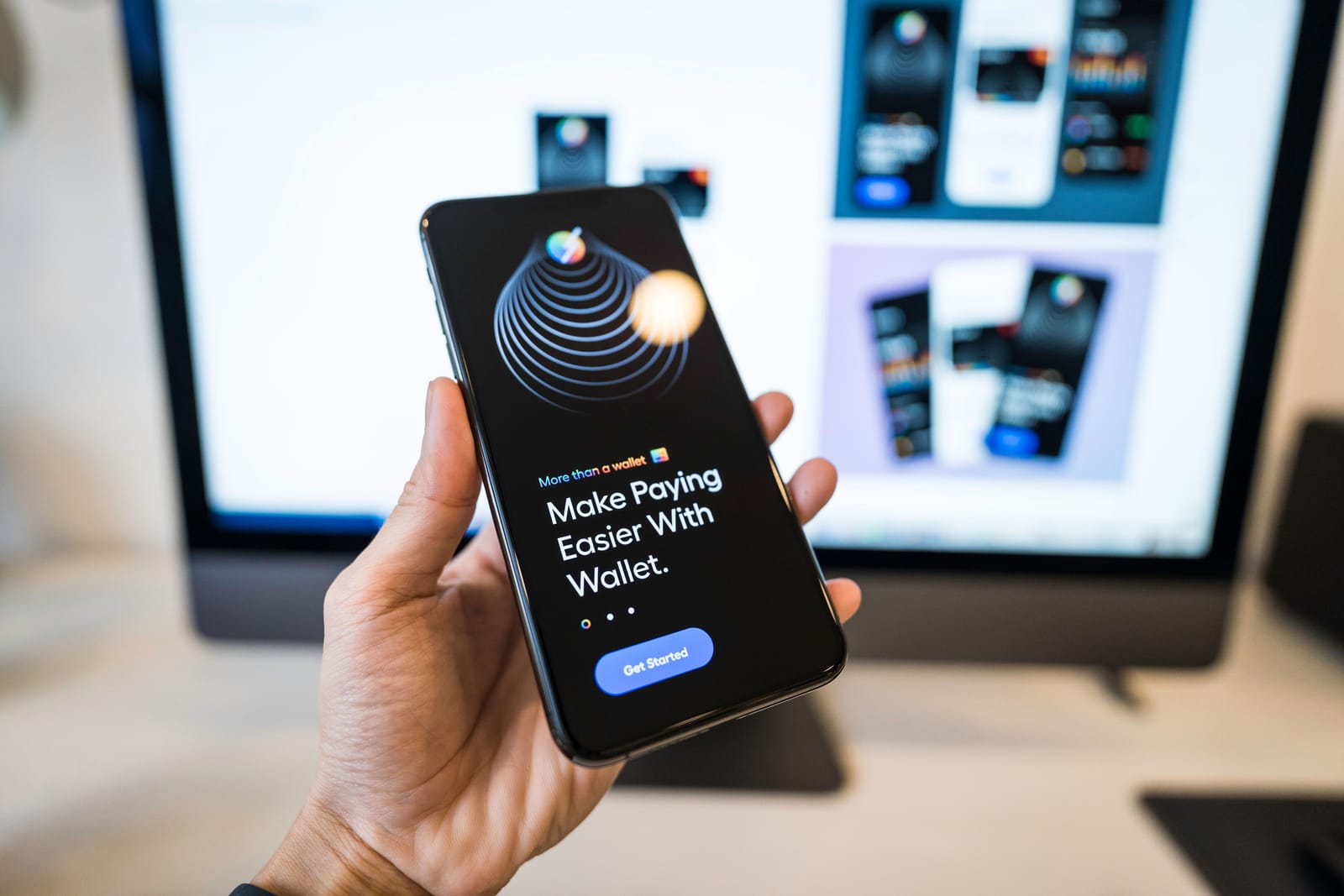
Compare the best payment apps for small business owners to accept cards, invoices, online payments, mobile payments, and recurring payments in 2026.
Introduction
Getting paid quickly and securely is one of the most important parts of running a small business.
Best Budgeting Apps to Manage Your Money in 2026 — Free and Paid Options That Actually Work
Whether you sell products in a shop, provide services at customer locations, run an online store, work as a freelancer, manage appointments, or send invoices to clients, you need a payment system that is simple for customers and practical for your business.
The Best Payment Apps help small business owners accept card payments, online payments, mobile wallet payments, payment links, invoices, recurring payments, bank payments, and in-person transactions from one device or platform.
Some payment apps focus on point-of-sale systems. Others are better for online checkout, invoice payments, international clients, recurring subscriptions, or casual mobile payments.
The right payment app depends on your business type, location, sales volume, customer payment preferences, hardware needs, and accounting workflow.
This guide compares ten of the Best Payment Apps for small business owners in 2026.
Payment fees, supported countries, hardware prices, payout times, app features, tax reporting rules, and account eligibility can change. Always check the latest pricing and availability on the provider’s official website before signing up.
How We Selected the Best Payment Apps
Small businesses do not all accept payments in the same way. A coffee shop, online store, freelance designer, repair technician, consultant, fitness coach, market vendor, and subscription business may each need a different payment setup.
For this comparison, we considered:
- Ease of setup
- In-person payment support
- Online payment support
- Card and mobile wallet acceptance
- Invoice payment options
- Payment links
- Recurring payment support
- POS tools
- Hardware availability
- Mobile app usability
- International availability
- Payout speed
- Transaction-fee transparency
- Accounting integrations
- Customer experience
- Suitability for freelancers and small businesses
- Scalability as the business grows
The rankings are editorial recommendations. The best payment app depends on your country, business model, sales channels, and payment volume.
Why Small Businesses Need a Reliable Payment App
A payment app is not only a way to collect money. It affects cash flow, customer trust, sales conversion, business records, and daily operations.
A good payment app can help small businesses:
- Accept payments faster
- Reduce cash handling
- Send professional invoices
- Collect online payments
- Accept cards and mobile wallets
- Track paid and unpaid transactions
- Manage receipts
- Record customer details
- Monitor sales activity
- Connect with bookkeeping software
- Support mobile or on-location work
- Improve customer convenience
A poor payment setup can create delayed payments, confusing fees, manual record-keeping, customer frustration, and missed sales.
1. Square — Best Overall Payment App for Small Businesses
Square is one of the most popular payment platforms for small businesses because it combines payment processing, point-of-sale tools, invoices, card readers, online payments, and business management features.
Small business owners can accept in-person payments through Square POS and supported hardware. They can also send invoices, create estimates, accept online payments, manage customer records, track sales, and use additional tools for appointments, restaurants, retail, and teams.
Square is especially useful for businesses that sell both in person and online.
Key Features
- Point-of-sale app
- Card reader and payment hardware
- Contactless and chip card payments
- Online payment acceptance
- Digital invoices
- Estimates and contracts
- Payment links
- Customer directory
- Sales reporting
- Inventory tools
- Appointment and retail options
- Mobile and desktop access
Best For
Square is best for cafes, salons, shops, market vendors, service providers, consultants, repair businesses, and small retailers that need a practical all-in-one payment system.
Possible Limitation
Processing fees apply when payments are taken. Some advanced features, industry-specific tools, and hardware options may require paid plans or additional costs.
2. Stripe — Best for Online Businesses and Developers
Stripe is a powerful payment platform for online businesses, SaaS products, marketplaces, ecommerce stores, subscription businesses, and custom websites.
It supports online checkout, payment links, invoicing, subscriptions, recurring billing, in-person payments through Stripe Terminal, and many local payment methods depending on region.
Stripe is especially strong for businesses that need flexible payment infrastructure rather than only a simple mobile payment app.
Developers can use Stripe APIs to build customised payment flows, while non-technical users can use products such as Payment Links and hosted checkout.
Key Features
- Online payment processing
- Hosted checkout
- Payment Links
- Invoicing
- Subscriptions and recurring billing
- Stripe Terminal for in-person payments
- Local payment methods
- Fraud prevention tools
- Developer APIs
- Reporting dashboard
- Global payment support
- Integrations with ecommerce platforms
Best For
Stripe is best for online stores, SaaS businesses, marketplaces, app developers, agencies, digital products, and businesses that need custom payment workflows.
Possible Limitation
Stripe can feel technical for business owners who only need a simple card reader or basic mobile payment app.
3. PayPal Business — Best for Familiar Online Payments
PayPal Business is useful for small businesses that want to accept payments through a platform many customers already recognise.
Businesses can use PayPal for online checkout, invoices, payment links, subscriptions, QR code payments, and international payments where supported.
PayPal is especially useful for freelancers, digital sellers, consultants, creators, and ecommerce businesses serving customers across different regions.
It can also be a helpful option when customers prefer paying through PayPal balance, card, or supported digital payment methods.
Key Features
- Business payment account
- PayPal checkout
- Online invoices
- Payment links
- Subscription payments
- QR code payments
- International payments
- Buyer and seller tools
- Mobile app access
- Business reporting
- Customer payment familiarity
- Ecommerce integrations
Best For
PayPal Business is best for freelancers, consultants, online sellers, creators, digital service providers, and small businesses with customers who already trust PayPal.
Possible Limitation
Transaction fees, currency conversion costs, account holds, chargebacks, and country availability should be reviewed carefully before relying on PayPal as the only payment option.
4. Shopify POS — Best for Retail and Ecommerce Sellers
Shopify POS is designed for businesses that sell both online and in person.
It connects in-person sales with Shopify’s ecommerce platform, allowing businesses to manage products, orders, inventory, customers, discounts, and payments from one connected system.
This is useful for retailers, pop-up shops, market sellers, boutiques, and ecommerce brands that also sell at physical locations or events.
Shopify POS works best when used with a Shopify store and supported Shopify Payments or compatible payment hardware.
Key Features
- Point-of-sale app
- Online and in-person sales connection
- Product and inventory management
- Customer profiles
- Staff permissions on supported plans
- Discounts and promotions
- Order management
- Shopify Payments support in selected regions
- Card reader and hardware options
- Mobile POS selling
- Reporting tools
- Ecommerce integrations
Best For
Shopify POS is best for ecommerce stores, retail shops, pop-up sellers, boutiques, and product-based businesses that want online and offline sales connected.
Possible Limitation
Shopify requires a paid ecommerce plan, and Shopify Payments or POS hardware availability may differ by country.
5. Clover — Best for Restaurants, Retail and Service Businesses
Clover provides payment processing and point-of-sale systems for small businesses that need dedicated hardware and industry-specific tools.
It offers devices for counters, tables, mobile selling, restaurants, retail stores, and service businesses. Clover systems can support payments, orders, inventory, employee management, tips, receipts, reporting, and integrations.
This makes it stronger than a basic payment app for businesses that need a complete POS setup.
Key Features
- POS hardware options
- Card and contactless payments
- Mobile payment devices
- Restaurant and retail tools
- Inventory management
- Order management
- Employee tools
- Tip management
- Receipts
- Sales reporting
- Customer management
- App marketplace
Best For
Clover is best for restaurants, cafes, salons, retail stores, food trucks, service businesses, and businesses that need professional POS hardware.
Possible Limitation
Clover hardware, software plans, and payment processing costs can vary. Businesses should compare total monthly cost before choosing a package.
6. QuickBooks Payments — Best for Accounting-Connected Payments
QuickBooks Payments is designed for businesses already using QuickBooks for accounting, invoices, bookkeeping, and financial records.
It allows customers to pay invoices online using supported payment methods. Businesses can also accept in-person payments through QuickBooks mobile tools, GoPayment, card readers, and Tap to Pay on iPhone where supported.
The main advantage is that payments can connect directly with accounting records, reducing manual reconciliation.
Key Features
- Online invoice payments
- Credit and debit card payments
- ACH bank payments where supported
- Mobile payment acceptance
- GoPayment app
- Card reader support
- Tap to Pay on iPhone
- QuickBooks accounting integration
- Automatic payment tracking
- Customer records
- Recurring payment support
- Financial reporting
Best For
QuickBooks Payments is best for small businesses, freelancers, accountants, consultants, contractors, and service providers already using QuickBooks.
Possible Limitation
QuickBooks Payments is most useful inside the QuickBooks ecosystem. Businesses using another accounting system may prefer Square, Stripe, PayPal, or another payment app.
7. SumUp — Best for Simple Card Reader Payments
SumUp is a payment solution focused on simple card acceptance for small businesses.
Users can pair the SumUp Business app with supported card readers to accept chip, contactless, and mobile wallet payments. SumUp also provides payment links, invoices, QR code payments, gift cards, and other tools depending on the region.
It is useful for small businesses that want straightforward pay-as-you-go payment processing without a complicated POS system.
Key Features
- Mobile card reader payments
- SumUp Business app
- Contactless payments
- Chip and PIN payments
- Mobile wallet support
- Payment links
- Invoices
- QR code payments
- Gift card options
- Sales tracking
- Simple setup
- Pay-as-you-go pricing in supported regions
Best For
SumUp is best for market sellers, tradespeople, mobile service providers, tutors, beauty professionals, small shops, and businesses that need simple card acceptance.
Possible Limitation
Hardware, fees, payment methods, and features vary by country. Businesses should check local SumUp availability and pricing.
8. Venmo Business — Best for Local and Casual US Sellers
Venmo Business allows eligible users to create business profiles for accepting customer payments through Venmo.
It is especially useful for small local sellers, side businesses, casual sellers, artists, photographers, creators, and service providers whose customers already use Venmo.
A business profile can make payments feel more official than using a personal account for business transactions.
Key Features
- Venmo business profile
- Customer payments through Venmo
- Mobile-first payment experience
- Business visibility inside Venmo
- Simple customer checkout
- Payment history
- QR code support
- Refund support
- Social payment familiarity
- Suitable for casual sellers
- US-focused availability
- Standard seller transaction fee
Best For
Venmo Business is best for US-based small businesses, side hustles, local sellers, personal services, and creators serving customers who already use Venmo.
Possible Limitation
Venmo Business is not a full POS or accounting system. It is also not suitable for every country or every business type.
9. Cash App Business — Best for Mobile-First Casual Sellers
Cash App Business is designed for small and casual sellers who want to accept payments from Cash App users.
It is useful for mobile-first sellers, side businesses, creators, independent service providers, and local customer transactions.
Cash App Business can help sellers accept customer payments, track sales, and manage simple mobile transactions. Tap to Pay on iPhone support may also allow eligible business users to accept contactless payments without separate hardware.
Key Features
- Cash App Business account
- Customer payments through Cash App
- Mobile-first payment acceptance
- Sales tracking
- Tap to Pay on iPhone where supported
- Simple payment experience
- Business payment records
- Instant transfer options
- Customer familiarity
- Suitable for small and casual sellers
Best For
Cash App Business is best for small US-based sellers, mobile-first businesses, creators, local services, and side hustles whose customers already use Cash App.
Possible Limitation
Business eligibility, available features, reporting, fees, and protections can vary. It should not replace a complete POS or accounting system for growing businesses.
10. GoCardless — Best for Recurring Bank Payments
GoCardless is designed around bank payments, direct debit, invoice payments, recurring payments, and subscriptions.
Instead of relying mainly on card payments, GoCardless helps businesses collect payments directly from customer bank accounts where supported.
This can be useful for businesses with predictable recurring billing, such as memberships, subscriptions, retainers, instalments, service plans, rent-like payments, tuition, or recurring invoices.
Key Features
- Direct debit payments
- One-off bank payments
- Recurring payments
- Invoice payments
- Subscription collections
- Payment recovery options on supported plans
- International collection support
- Hosted payment pages
- Accounting integrations
- Customer payment mandates
- Payment tracking
- Business software connections
Best For
GoCardless is best for subscription businesses, membership organisations, service providers, agencies, tuition providers, and companies collecting recurring invoice payments.
Possible Limitation
GoCardless is not designed as a general card-reader POS app. It is strongest for bank payments and recurring collections.
How to Choose the Best Payment App
The best payment app depends on how your customers prefer to pay and how your business operates.
Choose Square for an All-in-One Small Business Setup
Square is suitable when you want POS tools, invoices, card readers, payment links, online payments, and sales tracking in one system.
Choose Stripe for Online Payments
Stripe is useful when your business sells online, runs subscriptions, or needs custom payment flows.
Choose PayPal Business for Familiar Customer Checkout
PayPal is practical when customers already trust PayPal or when your business accepts international online payments.
Choose Shopify POS for Retail and Ecommerce
Shopify POS is ideal when you run a Shopify store and want online and in-person sales connected.
Choose Clover for POS Hardware
Clover is suitable when your business needs dedicated POS hardware for retail, restaurant, or service operations.
Choose QuickBooks Payments for Accounting Integration
QuickBooks Payments is useful when you already manage invoices and bookkeeping in QuickBooks.
Choose SumUp for Simple Card Reader Payments
SumUp works well when you need a simple card reader and mobile app for accepting payments.
Choose Venmo Business for Local Customers
Venmo Business is useful for US-based sellers whose customers already use Venmo.
Choose Cash App Business for Mobile-First Selling
Cash App Business is practical for casual sellers and small local businesses serving Cash App users.
Choose GoCardless for Recurring Bank Payments
GoCardless is suitable for subscriptions, memberships, retainers, instalments, and repeat invoice payments.
Features to Look for in Payment Apps
Before choosing a payment app, check whether it supports your real business needs.
Payment Methods
A good payment app may support:
- Credit cards
- Debit cards
- Contactless payments
- Apple Pay
- Google Pay
- PayPal
- Venmo
- Cash App
- Bank transfers
- Direct debit
- Payment links
- QR code payments
- Invoices
- Subscriptions
- Buy now, pay later options
Not every app supports every method in every country.
In-Person Payment Support
Businesses selling face to face may need:
- Card readers
- POS terminals
- Tap to Pay on iPhone
- Tap to Pay on Android
- Receipt printing
- Cash drawer support
- Barcode scanning
- Tip collection
- Offline mode
- Table-side payments
- Mobile selling
Online Payment Support
Online businesses should look for:
- Hosted checkout
- Payment links
- Ecommerce integrations
- Website checkout
- Subscription billing
- Fraud prevention
- Customer payment pages
- Checkout customisation
- Local payment methods
- Developer APIs
Invoice Payments
Service businesses often need invoice payments instead of immediate checkout.
Useful invoice features include:
- Custom invoice templates
- Due dates
- Partial payments
- Deposits
- Recurring invoices
- Payment reminders
- Card and bank payments
- Invoice status tracking
- Customer records
- Tax and discount fields
Fees and Pricing
Payment fees can affect profit margins.
Review:
- Card-present fees
- Card-not-present fees
- Invoice payment fees
- Online checkout fees
- International card fees
- Currency conversion fees
- Chargeback fees
- Hardware costs
- Monthly software plans
- Instant transfer fees
- Refund fees
- Third-party payment provider fees
Do not choose a payment app only because signup is free. Compare the real cost of receiving payments.
Payout Speed
Cash flow matters for small businesses.
Check:
- Standard payout time
- Instant payout availability
- Weekend payout rules
- Bank holiday delays
- Minimum payout amount
- Payout fees
- Reserve or hold policies
Accounting and Reporting
A payment app should help you keep business records organised.
Useful reporting features include:
- Daily sales
- Payment status
- Customer history
- Refunds
- Taxes collected
- Tips
- Discounts
- Product sales
- Invoice records
- Exportable reports
- Accounting integrations
Security and Fraud Protection
Payment apps handle sensitive customer and business information.
Check whether the provider offers:
- PCI-compliant processing
- Fraud monitoring
- Strong account security
- Two-factor authentication
- User permissions
- Device security
- Chargeback management
- Secure customer data handling
- Transaction notifications
- Clear refund controls
Customer Experience
A payment process should be simple for customers.
Customers should be able to:
- Pay quickly
- Understand the amount
- Choose a familiar payment method
- Receive a receipt
- Use mobile wallets
- Pay from an invoice link
- Complete checkout without confusion
- Trust the payment page
A complicated payment experience can reduce conversions and delay payments.
Payment App Mistakes Small Businesses Should Avoid
Using a Personal Account for Business Payments
Personal accounts can create tax, reporting, refund, and professionalism issues. Use a proper business profile or business payment account where required.
Ignoring Transaction Fees
Small fees add up quickly when sales volume increases. Compare total fees before choosing a payment app.
Choosing Only One Payment Method
Customers may prefer different payment methods. Offering at least two suitable options can improve convenience.
Not Tracking Refunds and Chargebacks
Refunds, disputes, and chargebacks should be recorded properly to avoid confusion in financial records.
Mixing Personal and Business Money
Separate business payments from personal spending whenever possible.
Forgetting Regional Availability
A platform may work well in one country but have limited features in another.
Not Reviewing Payout Times
Fast sales are not enough if payouts are delayed longer than your business can manage.
Skipping Security Settings
Enable two-factor authentication, use strong passwords, limit staff permissions, and monitor account activity.
Best Payment Apps by Business Type
Best for Local Shops
- Square
- Clover
- SumUp
- Shopify POS
Best for Online Stores
- Stripe
- PayPal Business
- Shopify POS
- Square
Best for Freelancers
- PayPal Business
- Square
- Stripe
- QuickBooks Payments
- Wise Business where available
Best for Service Businesses
- Square
- QuickBooks Payments
- Clover
- SumUp
- GoCardless
Best for Recurring Payments
- Stripe
- GoCardless
- PayPal Business
- QuickBooks Payments
Best for Casual Sellers
- Venmo Business
- Cash App Business
- Square
- PayPal Business
Best for Accounting Workflows
- QuickBooks Payments
- Square
- Stripe
- Shopify POS
Which Payment App Should You Choose?
Choose Square when you want one of the best all-round payment apps for small business owners.
Choose Stripe when you run an online business or need flexible checkout and subscription tools.
Choose PayPal Business when you want familiar online payments and invoice options.
Choose Shopify POS when you sell products through Shopify and also accept in-person payments.
Choose Clover when you need professional POS hardware for retail, restaurants, or service locations.
Choose QuickBooks Payments when you want payments connected directly with accounting and invoicing.
Choose SumUp when you need simple mobile card reader payments.
Choose Venmo Business when your US customers prefer paying through Venmo.
Choose Cash App Business when you want simple mobile-first payments from Cash App users.
Choose GoCardless when you collect recurring or invoice-based bank payments.
Final Thoughts
The Best Payment Apps help small business owners accept payments more easily, reduce manual work, improve cash flow, and give customers a smoother checkout experience.
Square is a strong all-round choice for small businesses that need POS, invoices, card payments, and mobile tools. Stripe is excellent for online payments, subscriptions, and custom checkout flows.
PayPal Business works well for familiar online payments, while Shopify POS is ideal for businesses already using Shopify. Clover is suitable for businesses that need dedicated POS hardware, and QuickBooks Payments is useful when accounting integration matters.
SumUp is practical for simple card payments, Venmo Business and Cash App Business can help casual US sellers, and GoCardless is strong for recurring bank payments.
Before choosing a payment app, compare your business needs carefully:
- Do you sell online, in person, or both?
- Do customers pay by card, bank transfer, wallet, or invoice?
- Do you need recurring payments?
- Do you need POS hardware?
- Do you need accounting integration?
- What are the real transaction fees?
- How quickly do payouts arrive?
- Is the service available in your country?
The right payment app should make it easier for customers to pay, easier for you to track money, and easier for your business to grow.
Explore more business, sales, finance, and productivity apps on Apps Hunt
Frequently asked questions
Square, Stripe, PayPal Business, Shopify POS, Clover, QuickBooks Payments, SumUp, Venmo Business, Cash App Business, and GoCardless are strong payment apps for small business owners. The best choice depends on your country, business type, payment methods, and sales volume.
Square is one of the best overall options for many small businesses because it supports point-of-sale payments, card readers, invoices, online payments, payment links, receipts, sales tracking, and customer records.
Stripe is one of the strongest options for online businesses because it supports hosted checkout, payment links, subscriptions, invoicing, local payment methods, developer APIs, and ecommerce integrations.
PayPal Business, Square, Stripe, and QuickBooks Payments are useful options for freelancers. PayPal is convenient for familiar online payments, while QuickBooks Payments is helpful for freelancers already using QuickBooks.
Yes. Many payment apps support payment links, invoices, QR codes, online checkout, direct debit, and Tap to Pay on compatible phones. Availability depends on the provider, country, device, and payment method.
Most payment apps charge transaction fees when customers pay by card, digital wallet, invoice, or online checkout. Some may also charge hardware costs, monthly plan fees, instant payout fees, international card fees, or currency conversion fees.
Stripe and GoCardless are strong options for recurring payments. Stripe is useful for online subscriptions, while GoCardless is useful for recurring bank payments, direct debit, invoice payments, and memberships.
Venmo Business can be useful for US-based local sellers, casual businesses, creators, and service providers whose customers already use Venmo. It is not a full POS or accounting system.
Small businesses should check transaction fees, payout time, supported countries, payment methods, card-reader options, invoice tools, accounting integrations, refund rules, chargeback handling, tax reporting, and customer experience.
Many small businesses benefit from offering more than one payment method. For example, a business may use Square for in-person payments, Stripe for online checkout, and PayPal for customers who prefer PayPal.