
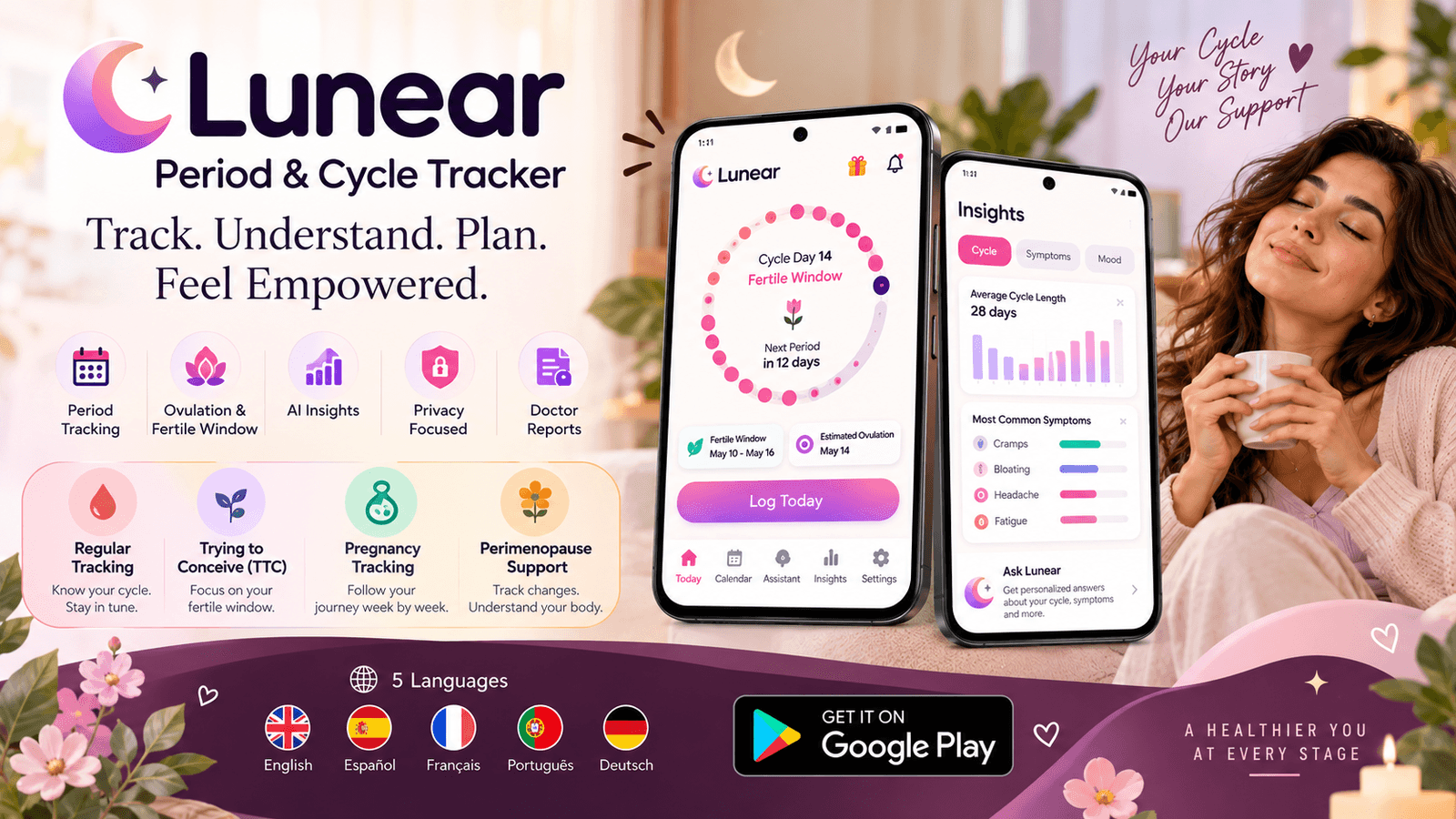
Explore Lunear’s period calendar, cycle predictions, symptom logging, AI assistant, TTC, pregnancy and perimenopause modes, reminders, privacy tools and multilingual support.
Looking for a single app that can follow your period today and still be useful if your needs later change? Lunear is designed as a broader cycle-tracking platform, combining everyday period logging with fertility estimates, pregnancy tracking, perimenopause support, symptom and mood records, AI assistance and privacy controls. This guide explains what the Lunear app does, how its major screens work, what information users can record, how its four cycle modes differ, and which features are included in the free and Premium experiences.
Looking for a single app that can follow your period today and still be useful if your needs later change? Lunear is designed as a broader cycle-tracking platform, combining everyday period logging with fertility estimates, pregnancy tracking, perimenopause support, symptom and mood records, AI assistance and privacy controls. This guide explains what the Lunear app does, how its major screens work, what information users can record, how its four cycle modes differ, and which features are included in the free and Premium experiences.
A Quick Overview of Lunear
Lunear is organized around Today, Calendar, Lunear Assistant, Insights and Settings. Today provides a cycle-day dashboard, Calendar provides monthly visualization, Assistant provides conversational help, Insights summarizes recorded patterns and Settings controls cycle, alert, privacy language and account preferences.
1. Today: Your Cycle at a Glance
The Today screen is the main dashboard. When cycle data is available, it can show the current day and phase, the average cycle length, the estimated next period, the estimated fertile window and estimated ovulation. Quick actions make it easy to log today, open the Calendar or ask Lunear a question.
2. Calendar: See Periods Fertility and Logged Days
The monthly calendar separates actual or logged period days from predicted period days, fertile days and estimated ovulation. A marker can also indicate a date with a note or other logged information. Users can move between months and tap individual dates to view existing entries or create new ones.
3. Logging: Flow, Symptoms, Mood and Notes
Daily logging is designed to be quick but detailed enough to build a useful history. Users can select flow level, multiple symptoms, a mood and a personal note. This structure turns the app into a symptom tracker as well as a period calendar and makes it possible to compare subjective experiences with cycle timing later.
Insights: Turn Tracking Data into Patterns
Insights summarizes cycle and symptom information once enough data has been logged. The product can show average cycle length, average period length, recent cycle lengths and frequently logged symptoms. Premium adds AI-generated personalized insight cards intended to translate patterns into plain-language summaries.
Ask Lunear: Ask Questions in Context
The Lunear Assistant is designed for questions about cycles, symptoms and mood. With cycle data available, the prototype can frame answers around the current cycle day and phase. Users receive three free assistant chats in the current product design with unlimited chats available to Premium subscribers.
4. Fertile Window Alerts
Users can separately enable fertile-window alerts, choose whether to receive a start-of-window notification and an estimated-ovulation-day notification, and select a reminder time. Because these dates are calculated estimates, they should not be treated as confirmed ovulation or as a method of contraception.
5. Regular Tracking vs. Irregular-Cycle Tracking
Regular Tracking uses an average cycle length. Irregular-cycle tracking allows a shortest and longest recent cycle range so predictions can be expressed with more visible uncertainty. This can be useful for users whose periods do not follow the same number of days every month.
6. TTC Mode
Trying to Conceive mode emphasizes fertility timing by highlighting the estimated fertile window and ovulation day. It is intended as a focused tracking mode for users whose goal is conception.
Pregnancy Mode
Pregnancy Mode changes the app from cycle-day tracking to pregnancy-week tracking. Users can enter the number of weeks pregnant and view the trimester, estimated due date and progress toward 40 weeks.
Perimenopause Mode
Perimenopause is the transition leading up to menopause, when cycle timing and symptoms may change. Lunear’s Perimenopause Mode is designed for less predictable cycles, with looser predictions and added attention to symptoms.
7. Privacy Controls and Guest Mode
Users can start in Guest Mode without creating an account. Private Mode adds an app lock, hides detailed notification content and offers discreet icon options. The product prototype describes cycle data as local-first, with optional encrypted cloud backup for supported account and Premium configurations. For a production deployment, users should verify the latest privacy policy and Google Play Data Safety information.
8. Doctor Reports
Premium users can select a date range and generate a printable PDF-style report containing cycle summary information, logged days, symptoms, mood, notes and symptom frequency. This is designed to make it easier to bring organized tracking information to a healthcare appointment.
Languages and International Use
Lunear supports English, Español, Français, Português and Deutsch. This makes the app relevant to searches for a period tracker in Spanish, a cycle tracker in French, a menstrual calendar in Portuguese or a period tracker in German, alongside English-language searches.
Free Features and Premium Features
The product is structured so that essential cycle tracking can be used without Premium, while advanced features add value for users who want more AI access, deeper personalized insights, doctor-report export and backup. The current prototype shows Premium at $2.99/month or $29.99/year, with the annual option displayed as a lower-cost subscription compared with paying monthly for a year. Confirm the current price in Google Play before purchase.
Why the Lunear App Can Fit Different Tracking Goals
- For everyday period tracking: use Regular Tracking, Calendar and reminders.
- For irregular cycles: use the irregular-cycle settings and review range-based estimates.
- For trying to conceive: switch to TTC Mode and use fertile-window alerts.
- For pregnancy: switch to Pregnancy Mode and follow week and trimester progress.
- For perimenopause: use the dedicated mode to track changing cycle patterns and symptoms.
- For pattern discovery: build a daily history and use Insights and Premium AI summaries.
- For privacy: use Guest Mode and Private Mode controls.
Get Lunear on Android
Lunear is designed as an all-in-one cycle tracking experience, from everyday period logging through fertility, pregnancy and perimenopause tracking.
Frequently asked questions
Lunear is available on Google Play for Android devices. Use the official listing linked at the beginning and end of this article.
No. Lunear also provides estimated ovulation and fertile-window timing, TTC Mode, Pregnancy Mode, Perimenopause Mode, symptom and mood tracking, insights, AI assistance and privacy controls.
The Calendar provides a monthly visual overview of logged periods, predicted periods, fertile days, estimated ovulation and dates with logged information.
Yes. The daily logging flow supports multiple symptom selections.
Yes. The prototype allows a personal note of up to 150 characters.
The product is designed around cycle history and daily logs so users can review previously recorded information in History and Insights.
The Insights view indicates when more period start dates are needed before cycle statistics can be calculated.
Yes. Period reminders can be enabled from Settings.
Yes. Fertile-window alerts can be enabled and configured separately.
Yes. The Settings area includes a Cycle Mode selector for Regular Tracking, TTC, Pregnancy and Perimenopause.