
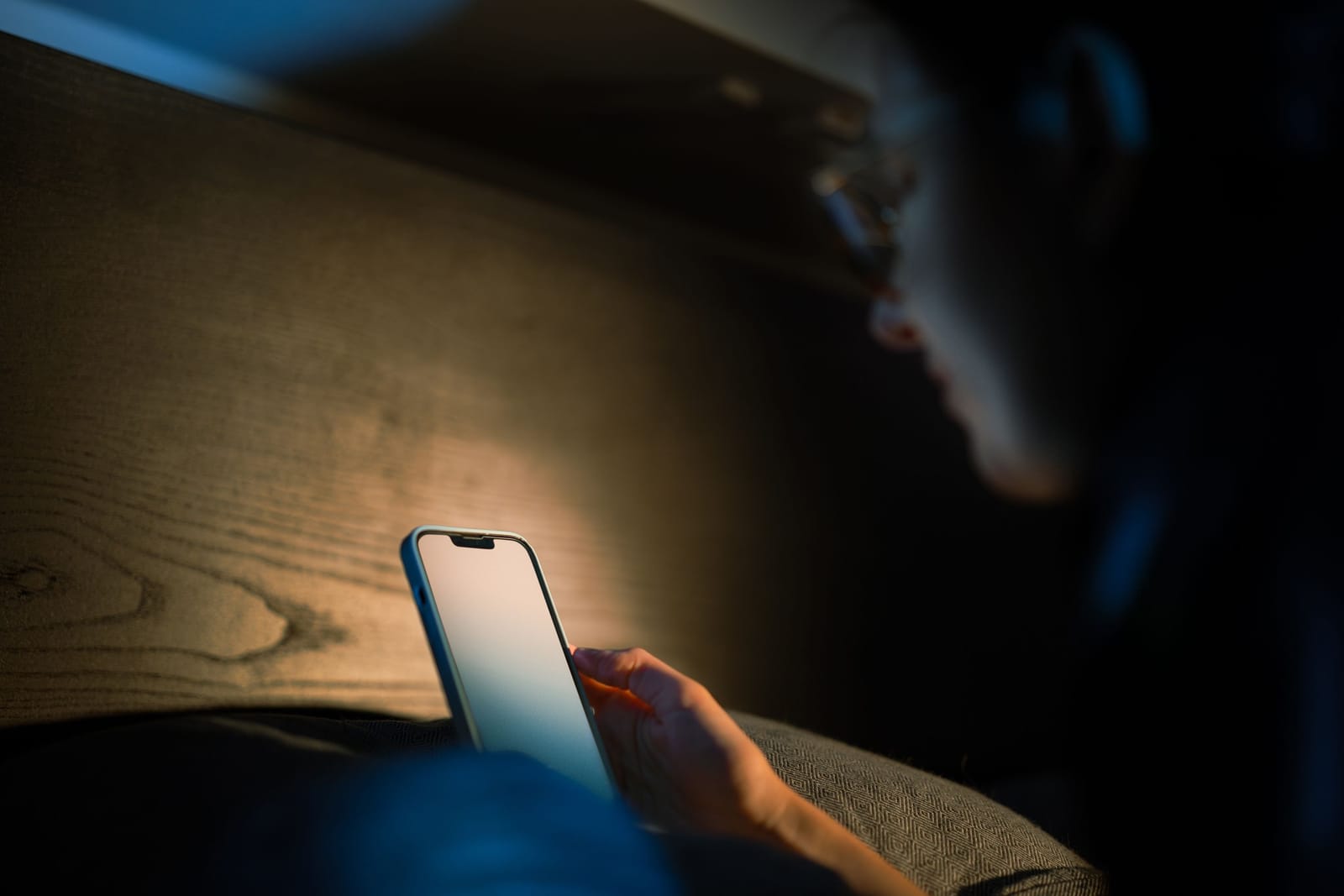
Compare the best sleep tracking apps to monitor sleep quality, smart alarms, snoring, sleep debt, bedtime habits, and better sleep routines.
Introduction
Good sleep affects almost every part of daily life. It can influence focus, energy, mood, productivity, workout recovery, memory, and overall wellbeing. However, many people do not clearly understand their sleep routine.
You may go to bed late, wake up tired, snooze alarms repeatedly, or feel sleepy during the day without knowing what is affecting your rest.
The Best Sleep Tracking Apps help users monitor sleep duration, sleep quality, bedtime consistency, wake-up patterns, snoring, night sounds, sleep debt, and daily energy trends. Some apps work only with a phone, while others use a smartwatch, smart ring, fitness tracker, or wearable device for more detailed insights.
Sleep tracking apps are not medical diagnostic tools. They cannot replace a doctor, sleep specialist, or clinical sleep study. However, they can help users notice patterns, improve bedtime habits, and understand whether their routine is supporting better rest.
This guide compares ten of the Best Sleep Tracking Apps to help users improve their sleep routine in 2026.
Features, subscription plans, device compatibility, wearable requirements, health integrations, and sleep metrics may change. Check the latest information on the provider’s official website or app-store listing before subscribing.
Blood Pressure & Sugar Tracker App: Track BP Blood Sugar BMI and Medicine Reminders
How We Selected the Best Sleep Tracking Apps
Sleep tracking apps are not all designed for the same type of user. Some focus on smart alarms, while others focus on snoring, recovery, wearable data, sleep debt, or simple bedtime routines.
For this comparison, we considered:
- Sleep duration tracking
- Sleep-quality insights
- Smart alarm features
- Snoring and sound recording
- Apple Watch support
- Android support
- Wearable and smart-ring compatibility
- Phone-only tracking options
- Sleep debt and routine guidance
- Health app integrations
- Ease of use
- Free-plan usefulness
- Subscription value
- Privacy and data controls
- Suitability for beginners
- Practical usefulness for improving sleep habits
The rankings are editorial recommendations. The best app depends on your phone, wearable device, sleep goals, comfort with tracking, and budget.
Explore Ai Apps & Tools Reviews
Why Use a Sleep Tracking App?
Many people judge their sleep only by how tired they feel in the morning. That feeling is important, but it may not show the full picture.
A sleep tracking app can help you understand:
- What time you usually fall asleep
- How long you stay in bed
- How much sleep you get
- How often you wake during the night
- Whether your bedtime is consistent
- How your wake-up time changes
- Whether snoring or noise may be disturbing sleep
- How late nights affect the next day
- Whether your sleep routine is improving
- Whether certain habits may affect sleep quality
Sleep apps are especially useful for people who want to build a regular bedtime routine, reduce late-night screen use, wake up more gently, or understand why they feel tired during the day.
Important Note About Sleep Tracking Accuracy
Consumer sleep tracking apps estimate sleep patterns using phone sensors, microphones, speakers, movement data, heart rate, breathing patterns, wearable sensors, or user input.
These estimates can be useful for identifying trends, but they are not the same as a clinical sleep study.
Sleep apps should not be used to diagnose insomnia, sleep apnea, breathing disorders, or medical sleep conditions.
If you regularly experience loud snoring, choking during sleep, extreme daytime sleepiness, morning headaches, breathing pauses, or long-term sleep problems, speak with a qualified healthcare professional.
Use sleep tracking apps as habit tools, not as medical diagnosis tools.
1. Sleep Cycle — Best Overall Smart Alarm App
Sleep Cycle is one of the most popular sleep tracking apps for users who want a simple smart alarm and sleep routine insights.
The app tracks sleep patterns and uses a smart alarm window to wake users during a lighter sleep phase. This can make waking up feel more natural compared with a fixed alarm that rings during deeper sleep.
Sleep Cycle can be useful for people who want to improve mornings without wearing a smartwatch or smart ring every night.
Key Features
- Sleep tracking
- Smart alarm
- Wake-up window
- Sleep quality insights
- Snore detection on supported plans
- Sleep notes
- Trends and statistics
- Audio-based sleep analysis
- Gentle alarm sounds
- Mobile app access
- Free and premium options
Best For
Sleep Cycle is best for users who want a simple sleep tracker with a smart alarm that helps them wake up more gently.
Possible Limitation
Phone-based tracking may be less detailed than wearable-based tracking. Some advanced insights and sound features may require a premium plan.
2. SleepScore — Best No-Wearable Sleep Tracking App
SleepScore is designed for users who want sleep insights without wearing a watch, band, or ring.
The app uses smartphone microphone and speaker capabilities to track breathing rate and body movement. It then provides sleep analysis, sleep-stage information, sleep environment insights, and recommendations.
This makes SleepScore useful for people who do not like wearing devices in bed but still want more structured sleep feedback.
Key Features
- No wearable required
- Smartphone-based tracking
- Breathing and movement analysis
- Sleep-stage insights
- Sleep environment feedback
- Sleep score
- Personal recommendations
- Trend tracking
- Smart alarm features
- Mobile app access
- Free and paid options
Best For
SleepScore is best for users who want a phone-based sleep tracking app with detailed feedback and no wearable requirement.
Possible Limitation
The phone must be placed properly near the bed, and results may be affected by room setup, sleeping arrangement, background noise, or device positioning.
3. Pillow — Best for Apple Watch and iPhone Users
Pillow is a sleep tracking app designed for Apple devices, including iPhone, iPad, and Apple Watch.
It can track sleep automatically with Apple Watch and provide sleep analysis, sleep stages, heart-rate information, audio recordings, alarms, trends, and Apple Health integration.
Pillow is especially useful for iPhone users who want a more detailed sleep interface than the built-in Apple Health sleep section.
Key Features
- Apple Watch sleep tracking
- iPhone and iPad support
- Automatic sleep detection
- Sleep-stage analysis
- Heart-rate information
- Audio recordings on supported settings
- Smart alarm
- Sleep trends
- Apple Health integration
- Sleep diary
- Free and premium options
Best For
Pillow is best for iPhone and Apple Watch users who want detailed sleep reports, audio features, and a polished Apple-focused experience.
Possible Limitation
Pillow is mainly built for the Apple ecosystem. Android users should choose another option.
4. AutoSleep — Best Automatic Sleep Tracker for Apple Watch
AutoSleep is an Apple Watch-focused sleep tracking app.
It is designed to automatically estimate sleep after the user wears an Apple Watch to bed. The app provides detailed sleep rings, sleep ratings, sleep duration, heart-rate data, sleep consistency, deep sleep, REM information, breathing details, smart alarm support, and advanced trend views.
AutoSleep is useful for users who want rich sleep data without manually starting a sleep session every night.
Key Features
- Automatic Apple Watch sleep tracking
- Sleep duration
- Sleep rings
- Sleep rating
- Sleep consistency
- Heart-rate information
- Deep sleep and REM insights
- Smart alarm
- Bedtime recommendations
- Widgets and complications
- Export options
- Detailed history and trends
Best For
AutoSleep is best for Apple Watch users who want detailed automatic tracking and advanced sleep statistics.
Possible Limitation
It requires Apple Watch for the best experience and may feel too data-heavy for users who only want simple bedtime guidance.
5. Sleep as Android — Best Sleep Tracking App for Android Users
Sleep as Android is a powerful sleep tracking and smart alarm app for Android users.
It includes sleep cycle tracking, smart wake-up, snoring and sleep-talk detection, bedtime notifications, lullabies, anti-snoring tools, CAPTCHA wake-up tasks, wearable support, and integrations with health and automation services.
The app is useful for Android users who want a flexible and feature-rich sleep tracker rather than a simple alarm clock.
Key Features
- Sleep cycle tracking
- Smart alarm
- Snoring detection
- Sleep-talk recording
- Bedtime reminders
- Anti-snoring tools
- Lullabies and sleep sounds
- Wear OS support
- Wearable integrations
- Health service integrations
- CAPTCHA alarm tasks
- Backup and automation options
Best For
Sleep as Android is best for Android users who want advanced sleep tracking, smart alarms, snoring tools, and wearable integrations.
Possible Limitation
The large number of features may feel overwhelming for beginners. Some features require compatible devices or paid access.
6. Fitbit — Best for Fitness Tracker Users
Fitbit sleep tracking works through compatible Fitbit devices and the Fitbit app.
Users can review sleep duration, sleep stages, sleep score, bedtime patterns, heart-rate trends, restlessness, and longer-term health insights depending on the device and plan.
Fitbit is useful for people who already track activity, workouts, steps, heart rate, and wellness data during the day. Sleep information becomes part of a broader health picture rather than a separate habit tracker.
Key Features
- Sleep duration tracking
- Sleep stages on supported devices
- Sleep score
- Heart-rate-based insights
- Restlessness tracking
- Sleep schedule trends
- Integration with daily activity data
- Mobile app dashboard
- Long-term health trends
- Premium insights on supported plans
- Compatible Fitbit wearable required
Best For
Fitbit is best for users who already wear a Fitbit device and want sleep data connected with activity, fitness, and general wellness tracking.
Possible Limitation
A Fitbit device is required for meaningful automatic sleep tracking, and some advanced insights may require Fitbit Premium.
7. Oura — Best Sleep Tracking App for Smart Ring Users
Oura combines a smart ring with an app focused on sleep, readiness, activity, recovery, temperature trends, heart-rate variability, and daily health insights.
Because the Oura Ring is worn on the finger, some users find it more comfortable for sleep than a watch. The app provides sleep score, readiness score, bedtime guidance, recovery information, and trends that can help users understand how lifestyle habits affect rest.
Oura is useful for people who want deeper recovery insights rather than only bedtime and wake-up time.
Key Features
- Smart ring sleep tracking
- Sleep score
- Readiness score
- Heart-rate variability
- Resting heart rate
- Body temperature trends
- Sleep-stage estimates
- Bedtime guidance
- Activity and recovery data
- Daily health insights
- Mobile app dashboard
- Subscription-based features
Best For
Oura is best for users who want a comfortable wearable focused on sleep, recovery, readiness, and overall wellbeing.
Possible Limitation
Oura requires purchasing a smart ring, and many insights require an ongoing membership.
8. SleepWatch — Best Apple Watch Sleep Insights App
SleepWatch is designed to work with Apple Watch and iPhone to provide automatic sleep tracking and insights.
The app can show sleep duration, sleep rhythm, sleep disruptions, heart-rate-related information, and lifestyle trends. It helps users review how their sleep patterns change over time and how habits may affect rest.
SleepWatch is useful for Apple Watch users who want a guided sleep dashboard without manually logging every night.
Key Features
- Apple Watch sleep tracking
- Automatic detection
- Sleep duration insights
- Sleep rhythm tracking
- Heart-rate-related sleep data
- Sleep disruption information
- Lifestyle trend tracking
- iPhone and Apple Watch app access
- Morning sleep reports
- Premium features on paid plans
Best For
SleepWatch is best for Apple Watch users who want automatic tracking and easy-to-read sleep insights.
Possible Limitation
The best experience requires Apple Watch, and some advanced metrics are available only with premium access.
9. RISE — Best for Sleep Debt and Daily Energy Schedule
RISE focuses less on traditional sleep stages and more on sleep debt, circadian rhythm, energy levels, and daily habits.
The app helps users understand how much sleep debt they may be carrying and predicts their daily energy schedule. This can help users plan demanding work, exercise, focus time, and rest periods more effectively.
RISE also provides habit reminders, smart alarm features, sleep sounds, and integrations with selected wearables.
Key Features
- Sleep debt tracking
- Daily energy schedule
- Circadian rhythm insights
- Sleep need estimation
- Smart alarm
- Habit reminders
- Sleep sounds
- Wearable integrations
- Nap logging
- Calendar integration
- AI-powered sleep coaching on supported plans
- Mobile app access
Best For
RISE is best for users who want to understand sleep debt, improve daily energy, and build better sleep habits.
Possible Limitation
RISE is more focused on sleep routine and energy prediction than detailed sleep-stage analysis. Full access requires a subscription.
10. SnoreLab — Best App for Snoring Tracking
SnoreLab is focused on recording, measuring, and tracking snoring.
Users place their phone near the bed, and the app records snoring sounds during the night. It then provides charts, scores, audio samples, and trend information. Users can also tag lifestyle factors and remedies to see whether snoring patterns change.
SnoreLab is useful for people who suspect snoring may be affecting sleep quality or disturbing a partner.
Key Features
- Snore recording
- Snore intensity measurement
- Audio playback
- Nightly charts and stats
- Breathing stability insights
- Lifestyle factor tracking
- Remedy tracking
- Trend history
- Free version available
- Android and iPhone apps
- Premium features on paid plans
Best For
SnoreLab is best for users who specifically want to record and understand snoring patterns.
Possible Limitation
SnoreLab is not a complete general sleep tracker. Snoring or breathing concerns should be discussed with a healthcare professional, especially if symptoms are frequent or severe.
How to Choose the Best Sleep Tracking App
The best sleep tracking app depends on how much detail you want and whether you are comfortable wearing a device at night.
Choose Sleep Cycle for Gentle Wake-Ups
Sleep Cycle is suitable when your main goal is waking up more naturally using a smart alarm.
Choose SleepScore for Phone-Based Tracking
SleepScore is useful when you want sleep analysis without wearing a watch, band, or ring.
Choose Pillow for Apple Device Tracking
Pillow is a strong option when you use iPhone, iPad, and Apple Watch and want detailed sleep reports.
Choose AutoSleep for Apple Watch Automation
AutoSleep is suitable when you want Apple Watch-based tracking with detailed sleep metrics and trends.
Choose Sleep as Android for Advanced Android Features
Sleep as Android is practical when you want smart alarms, snoring tools, wearable integrations, and Android-focused sleep features.
Choose Fitbit for Fitness and Sleep Together
Fitbit is useful when you already use a Fitbit device and want sleep data connected with activity and heart-rate trends.
Choose Oura for Recovery Insights
Oura is a good choice when you want ring-based sleep tracking, readiness scores, and recovery guidance.
Choose SleepWatch for Apple Watch Insights
SleepWatch is helpful when you want automatic Apple Watch tracking with simple daily sleep summaries.
Choose RISE for Sleep Debt
RISE is ideal when you want to understand sleep debt, energy dips, and daily rhythm instead of only sleep stages.
Choose SnoreLab for Snoring
SnoreLab is useful when snoring is your main concern and you want audio recordings and trend tracking.
Features to Look for in Sleep Tracking Apps
Before choosing a sleep app, check whether it supports your sleep goals and devices.
Sleep Duration Tracking
At minimum, a sleep app should help you understand:
- Bedtime
- Wake-up time
- Total sleep duration
- Time in bed
- Night awakenings
- Sleep consistency
- Weekly patterns
Smart Alarm
A smart alarm attempts to wake you during a lighter sleep phase within a selected window.
This may help some users wake up feeling less groggy.
Useful smart alarm features include:
- Wake-up window
- Gentle sounds
- Vibration alarm
- Snooze controls
- Gradual volume increase
- Watch vibration support
- Alarm challenges for heavy sleepers
Sleep Quality Score
Many apps provide a sleep score based on factors such as duration, consistency, movement, heart rate, interruptions, or estimated sleep stages.
A score can be useful, but users should focus on long-term trends rather than one-night results.
Snoring and Sound Recording
Sound recording can help users detect:
- Snoring
- Sleep talking
- Environmental noise
- Partner disturbance
- Coughing
- Possible breathing irregularity
These recordings can be useful for awareness, but they should not be treated as a medical diagnosis.
Wearable Support
Wearables can provide extra signals such as:
- Heart rate
- Heart-rate variability
- Skin temperature
- Breathing rate
- Movement
- Oxygen saturation on supported devices
- Wrist temperature on supported devices
Apps connected with watches, rings, or fitness trackers may provide richer data than phone-only apps.
Phone-Only Tracking
Phone-only tracking is useful for people who do not want to wear devices overnight.
However, results may depend on:
- Phone placement
- Mattress movement
- Room noise
- Sleeping alone or with another person
- Microphone access
- Battery level
- Background app permissions
Sleep Debt and Routine Guidance
Some apps help users understand how missed sleep accumulates over time.
This can be useful for people who sleep less during workdays and try to recover on weekends.
Health Integrations
Useful integrations may include:
- Apple Health
- Google Fit
- Health Connect
- Samsung Health
- Wear OS
- Fitbit
- Oura
- WHOOP
- Calendar apps
- Smart alarms
- Smart lights
Privacy Controls
Sleep data can be sensitive. It may include bedtime, wake-up time, heart rate, breathing, sounds, snoring, routines, and health-related patterns.
Review:
- Data collection
- Microphone usage
- Health-data permissions
- Cloud storage
- Account requirements
- Data export
- Data deletion
- Third-party sharing
- Subscription terms
- Privacy policy
Tips to Improve Your Sleep Routine With Apps
A sleep tracking app is most useful when it helps you change habits.
Track for at Least Two Weeks
One night of poor sleep does not tell the full story. Track sleep for at least two weeks to identify patterns.
Focus on Bedtime Consistency
Going to bed and waking up at similar times can support a more stable sleep routine.
Use the App as a Reminder
Set reminders for:
- Preparing for bed
- Reducing screen time
- Starting wind-down time
- Avoiding late caffeine
- Charging your wearable
- Starting sleep tracking
- Waking up consistently
Review Trends, Not Just Scores
A low sleep score on one night may happen because of stress, travel, illness, noise, or a late schedule.
Long-term trends are more useful than single-night results.
Add Lifestyle Notes
Many apps let users tag habits such as:
- Caffeine
- Alcohol
- Exercise
- Late meals
- Stress
- Screen time
- Naps
- Travel
- Medication
- Room temperature
These notes can help you discover what affects your sleep.
Use Smart Alarms Carefully
A smart alarm can make waking up easier, but it will not replace enough sleep.
Set a realistic bedtime instead of relying only on a smarter alarm.
Keep the Bedroom Sleep-Friendly
Apps can help track sleep, but environment matters too.
Try improving:
- Room darkness
- Temperature
- Noise level
- Mattress comfort
- Pillow support
- Phone notifications
- Late-night screen exposure
- Caffeine timing
Common Sleep Tracking Mistakes to Avoid
Treating Scores as Medical Truth
Sleep scores are estimates. They should guide habits, not create anxiety.
Checking the App Too Much
Constantly checking sleep data can make some users worry more about sleep.
Ignoring How You Feel
Your energy, mood, focus, and daytime sleepiness matter along with app data.
Using the Phone Too Late
A sleep app should not become another reason to scroll before bed.
Wearing an Uncomfortable Device
If a wearable disturbs your sleep, it may reduce the value of tracking.
Forgetting Battery Levels
Smartwatches and phones need enough battery for overnight tracking.
Comparing Yourself Too Much
Sleep needs vary. Do not assume your ideal sleep pattern must match someone else’s.
Best Sleep Tracking Apps by Use Case
Best for Smart Alarm
- Sleep Cycle
- Sleep as Android
- RISE
- AutoSleep
- Pillow
Best for Apple Watch Users
- Pillow
- AutoSleep
- SleepWatch
- Apple Health
- RISE
Best for Android Users
- Sleep as Android
- Sleep Cycle
- SleepScore
- SnoreLab
- Fitbit
Best for Snoring
- SnoreLab
- Sleep as Android
- Sleep Cycle
- Pillow
Best for Wearable Users
- Fitbit
- Oura
- AutoSleep
- SleepWatch
- WHOOP where available
Best for Sleep Debt
- RISE
- SleepWatch
- Fitbit
- Oura
Best for Phone-Only Tracking
- Sleep Cycle
- SleepScore
- SnoreLab
- Sleep as Android
Which Sleep Tracking App Should You Choose?
Choose Sleep Cycle when you want a smart alarm and simple sleep insights.
Choose SleepScore when you want phone-based sleep tracking without wearing a device.
Choose Pillow when you use iPhone and Apple Watch and want detailed reports.
Choose AutoSleep when you want automatic Apple Watch tracking with rich sleep data.
Choose Sleep as Android when you want powerful Android sleep tracking and alarm features.
Choose Fitbit when you already use a Fitbit wearable for daily health tracking.
Choose Oura when you want ring-based sleep, readiness, and recovery insights.
Choose SleepWatch when you want Apple Watch sleep trends in an easy dashboard.
Choose RISE when you want to reduce sleep debt and plan your day around energy levels.
Choose SnoreLab when you want to record and understand snoring patterns.
Final Thoughts
The Best Sleep Tracking Apps can help users understand their sleep patterns, improve bedtime consistency, wake up more gently, and build healthier routines.
Sleep Cycle is a strong option for smart alarms and simple tracking. SleepScore is useful for phone-only tracking, while Pillow, AutoSleep, and SleepWatch are strong choices for Apple Watch users.
Sleep as Android provides advanced Android features, Fitbit and Oura connect sleep with broader health and recovery trends, RISE focuses on sleep debt and daily energy, and SnoreLab is especially useful for tracking snoring.
Start by choosing an app that fits your device and sleep goal. Track your routine for at least two weeks, review patterns calmly, and focus on practical improvements rather than perfect scores.
A sleep app should help you build better habits, not create stress about every night’s data.
Better sleep usually comes from consistent routines, a calmer evening, a comfortable bedroom, and enough time in bed.
Explore more health, fitness, wellness, and productivity apps on AI App Space
Frequently asked questions
Sleep Cycle, SleepScore, Pillow, AutoSleep, Sleep as Android, Fitbit, Oura, SleepWatch, RISE, and SnoreLab are useful sleep tracking apps. The best choice depends on your phone, wearable device, and sleep goals.
Sleep Cycle is a good beginner-friendly option because it offers simple sleep tracking and a smart alarm. SleepScore is also useful for users who want phone-based tracking without wearing a device.
Sleep as Android is one of the strongest Android-focused sleep tracking apps. It includes smart alarms, snoring detection, bedtime reminders, wearable support, and advanced alarm options.
Pillow, Sleep Cycle, SleepScore, AutoSleep, SleepWatch, and Apple Health are strong options for iPhone users. AutoSleep and SleepWatch are most useful when paired with Apple Watch.
Yes. Apps such as Sleep Cycle, SleepScore, and SnoreLab can work with a smartphone. However, wearable devices may provide additional data such as heart rate, movement, temperature, and breathing trends.
Sleep tracking apps estimate sleep patterns using sensors, sound, movement, heart rate, or wearable data. They can help identify trends, but they are not as accurate as a clinical sleep study and should not be used for medical diagnosis.
Some apps and devices may show snoring, breathing, or oxygen-related patterns, but they cannot replace medical diagnosis. If you suspect sleep apnea or have serious symptoms, consult a qualified healthcare professional.
SnoreLab is one of the best apps for recording, measuring, and tracking snoring. Sleep as Android and Sleep Cycle also include snoring-related features on supported plans.
Sleep apps can help improve sleep routines by showing patterns, reminders, bedtime consistency, smart alarms, snoring trends, and lifestyle notes. Real improvement depends on changing habits and maintaining a consistent routine.
Look for sleep duration tracking, smart alarm, sleep score, snoring detection, wearable support, phone-only tracking, health integrations, privacy controls, trend reports, and practical habit guidance.