
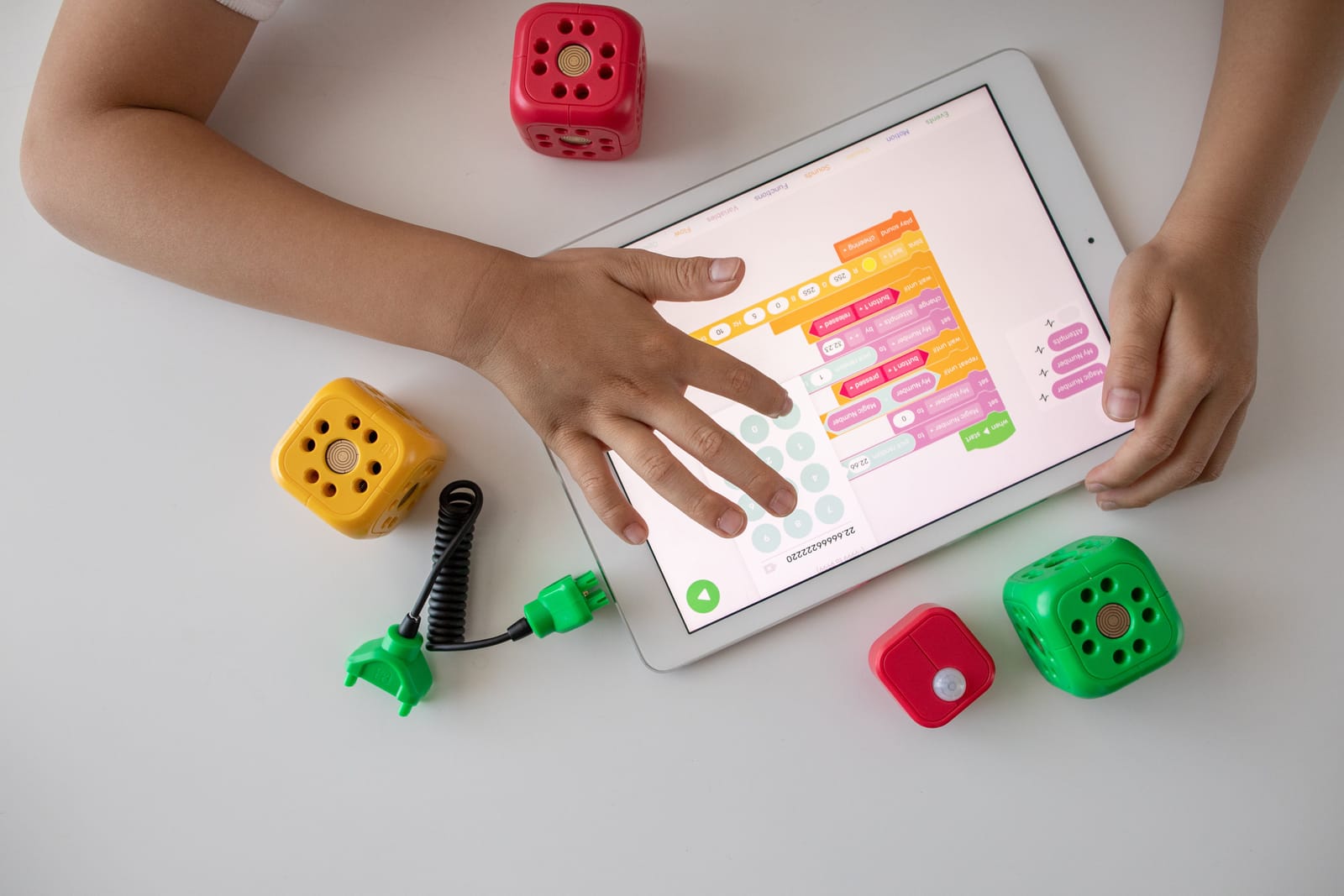
Compare the best kids learning apps for Android and iPhone for reading, math, phonics, creativity, and safe educational play in 2026.
Introduction
Mobile devices can become useful learning tools when children use age-appropriate apps with clear educational goals. The right app can help a child practise reading, phonics, spelling, mathematics, problem-solving, creativity, and social-emotional skills through interactive activities.
However, the large number of educational apps available on Google Play and the Apple App Store can make choosing the right one difficult. Some apps focus on preschool readiness, while others provide structured reading lessons, maths practice, digital books, educational videos, or creative play.
The best kids learning apps combine useful educational content with simple navigation, engaging activities, suitable difficulty levels, and controls that parents can understand.
This guide compares ten leading kids learning apps available for Android and iPhone. It covers free and subscription-based options for toddlers, preschoolers, early readers, primary-school students, and families looking for safer educational screen time.
Features, subscription plans, device compatibility, and regional availability may change. Parents should check the latest information in Google Play or the Apple App Store before downloading or subscribing.
How We Selected the Best Kids Learning Apps
Children have different ages, interests, abilities, and learning needs. An app that helps a preschooler recognise letters may not be suitable for an eight-year-old practising reading comprehension.
For this comparison, we considered the following factors:
- Educational value
- Age-appropriate activities
- Reading and mathematics coverage
- Ease of use for children
- Parent dashboards and progress reports
- Advertising and in-app purchase experience
- Offline learning options
- Android and iPhone availability
- Personalised learning features
- Variety of games, books, videos, and activities
- Suitability for independent and parent-supported learning
- Overall value for families
These rankings are editorial recommendations rather than a universal score. The right app depends on your child’s age, current skills, interests, device, and learning goals.
1. Khan Academy Kids — Best Overall Free Kids Learning App
Khan Academy Kids is a broad early-learning app designed for children between the ages of two and eight.
It combines reading, writing, phonics, mathematics, social-emotional development, creative activities, educational videos, and interactive storybooks in one child-friendly environment.
The app uses animated characters to guide children through lessons and activities. It also provides a learning path that can adjust to a child’s progress while allowing children to explore books, games, and creative activities independently.
One of its strongest advantages is that it is free to use without advertisements or a required paid subscription.
Key Features
- Reading and phonics activities
- Early mathematics lessons
- Letter tracing and writing practice
- Interactive storybooks
- Social-emotional learning activities
- Creative drawing and colouring tools
- Personalised learning paths
- Parent and teacher resources
- No advertisements
- No paid subscription required
Best For
Khan Academy Kids is best for parents looking for a free, comprehensive learning app covering several early-education subjects.
Possible Limitation
The content is mainly designed for younger children. Older primary-school students may need more advanced subject-specific apps.
2. ABCmouse — Best Complete Early-Learning Curriculum
ABCmouse provides a structured learning programme covering reading, phonics, mathematics, science, social studies, art, music, and other early-learning subjects.
The platform is designed for toddlers, preschoolers, kindergarten students, and early primary-school learners. Children can follow a guided learning path or explore individual games, books, puzzles, songs, videos, and creative activities.
ABCmouse is suitable for parents who want one platform to support several school-readiness skills rather than installing separate apps for every subject.
The app offers selected free learning content, while full access to its wider curriculum and activity library generally requires a subscription.
Key Features
- Structured early-learning curriculum
- Reading and phonics activities
- Mathematics games
- Science and social studies content
- Art and music activities
- Interactive books and puzzles
- Guided learning paths
- Multiple child profiles
- Progress tracking for parents
- Activities for different early-learning levels
Best For
ABCmouse is best for families who want a comprehensive, guided curriculum for preschool and early primary-school learning.
Possible Limitation
Full access requires a paid plan, which may be unnecessary for families only looking for occasional educational games.
3. Duolingo ABC — Best App for Phonics and Early Reading
Duolingo ABC is an early literacy app designed to help young children learn reading and writing fundamentals.
Its lessons cover letter sounds, phonics, handwriting, sight words, vocabulary, decoding, and basic reading comprehension. Activities include tracing letters, matching sounds, identifying words, and reading interactive stories.
Lessons are short and game-like, making the app suitable for younger children who may struggle to remain focused during longer learning sessions.
Duolingo ABC is free, contains no third-party advertisements, and supports offline learning after the required content has been downloaded.
Key Features
- Letter recognition
- Letter-sound activities
- Phonics lessons
- Handwriting practice
- Sight-word learning
- Vocabulary development
- Interactive stories
- Short educational games
- Personalised lesson progression
- Offline learning
- No advertisements or required in-app purchases
Best For
Duolingo ABC is best for preschool, kindergarten, first-grade, and second-grade children developing basic English literacy skills.
Possible Limitation
The app focuses mainly on English reading and writing. Parents looking for broad mathematics, science, or creative content will need an additional app.
4. PBS KIDS Games — Best Free Educational Games App
PBS KIDS Games offers a large collection of educational games featuring characters from popular PBS KIDS programmes.
The games cover subjects including mathematics, reading, science, creativity, problem-solving, social skills, and everyday life lessons.
Familiar characters may make the activities more attractive to children who already watch PBS KIDS programmes. The app also includes games available in English and Spanish.
Because it provides a broad collection of free educational games, it is a useful option for families who want varied learning activities without committing to a subscription.
Key Features
- Hundreds of educational games
- Reading and literacy activities
- Mathematics games
- Science and nature activities
- Creative and artistic games
- Puzzles and problem-solving
- Familiar PBS KIDS characters
- English and selected Spanish-language activities
- Child-friendly navigation
- Free access
Best For
PBS KIDS Games is best for children who enjoy character-based educational games and parents looking for a free learning app with varied subjects.
Possible Limitation
The app is organised around individual games rather than one continuous, personalised curriculum.
5. SplashLearn — Best for Mathematics and Reading Practice
SplashLearn provides game-based learning activities for children from preschool through Grade 5.
Its main areas include mathematics and English language development. Depending on the child’s level, activities may cover counting, number recognition, addition, subtraction, multiplication, division, geometry, phonics, vocabulary, reading, and comprehension.
The programme can create a learning path based on the child’s grade and progress. Parents can also use reports to review completed activities, strengths, and areas that may require more practice.
SplashLearn is available through supported Android devices, Apple devices, and web browsers, although individual features may differ between platforms.
Key Features
- Preschool to Grade 5 content
- Mathematics games
- Reading and phonics activities
- Curriculum-aligned learning
- Personalised practice paths
- Parent progress reports
- Rewards and motivational activities
- Books and reading resources
- Cross-device access
- Activities for home and school learning
Best For
SplashLearn is best for parents who want structured mathematics and reading practice that can continue as their child moves through primary-school grades.
Possible Limitation
Access to the complete programme may require a subscription, and some features may vary by device or platform.
6. Epic — Best Digital Reading App for Kids
Epic is a digital reading platform offering children access to books, audiobooks, Read-to-Me titles, educational videos, and quizzes.
Its library includes fiction, nonfiction, picture books, chapter books, graphic novels, educational titles, and material from recognised publishers.
Children can explore books based on their age, reading level, and interests. Features such as badges, reading progress, recommendations, and audio-supported books can help make regular reading feel more rewarding.
Epic is particularly useful for families that want a large digital library without purchasing every book separately.
Key Features
- Large digital book library
- Fiction and nonfiction titles
- Audiobooks
- Read-to-Me books
- Educational videos
- Reading quizzes
- Personalised book recommendations
- Reading-level options
- Progress tracking
- Access through mobile devices and computers
Best For
Epic is best for children who enjoy reading and families looking for a broad collection of digital books for different ages and interests.
Possible Limitation
Full access generally requires a subscription. Children who prefer printed books may not remain engaged with a digital-only reading experience.
7. Lingokids — Best for Play-Based Early Learning
Lingokids combines educational games, songs, videos, stories, and interactive activities for young children.
Its play-based content introduces skills related to vocabulary, English language learning, mathematics, science, creativity, communication, and social-emotional development.
The app is designed to make learning feel like entertainment rather than a formal lesson. This can work well for children who resist highly structured activities but enjoy songs, characters, and short games.
Lingokids offers a limited Basic experience and a wider Plus subscription with additional content and features.
Key Features
- Interactive educational games
- Songs and animated programmes
- English vocabulary development
- Early mathematics activities
- Science and creativity topics
- Social-emotional learning
- Age-appropriate content
- Child-friendly interface
- Downloadable content for selected plans
- Parent area and progress information
Best For
Lingokids is best for younger children who learn effectively through games, music, stories, and entertainment-style activities.
Possible Limitation
Parents looking for a traditional, step-by-step academic curriculum may prefer Khan Academy Kids, ABCmouse, or SplashLearn.
8. HOMER — Best Personalised Reading App
HOMER is an early-learning programme that creates a personalised learning journey based on a child’s age, current ability, and interests.
Its strongest focus is early reading development. Activities cover phonics, letter recognition, sight words, spelling, vocabulary, comprehension, and reading confidence.
The platform also includes activities related to mathematics, creativity, social-emotional learning, and thinking skills.
Personalisation is one of HOMER’s main strengths. A child interested in animals, vehicles, space, sports, or dinosaurs may receive activities using those themes to make lessons more engaging.
Key Features
- Personalised learning journeys
- Phonics and letter recognition
- Sight-word practice
- Spelling and vocabulary
- Interactive stories
- Reading comprehension
- Early mathematics activities
- Creativity and thinking skills
- Content based on child interests
- Ad-free learning environment
Best For
HOMER is best for children who need a personalised reading programme connected with their interests and current skill level.
Possible Limitation
Continued access to the complete learning programme normally requires a paid membership.
9. Sago Mini School — Best for Preschool and Kindergarten Readiness
Sago Mini School is designed for preschool children preparing for kindergarten and early classroom learning.
Its activities support literacy, numeracy, problem-solving, creativity, science, social-emotional development, and everyday life skills.
Children can practise counting, letter recognition, phonics, tracing, storytelling, shapes, colours, puzzles, and basic STEM concepts.
The app uses colourful characters and open-ended play to make learning feel less formal. It also supports downloaded activities for learning without an active internet connection.
Key Features
- Preschool learning games
- Letter recognition and phonics
- Early reading activities
- Counting and number skills
- Shapes and colours
- Puzzles and problem-solving
- STEM exploration
- Social-emotional activities
- Offline play
- No third-party advertising
- Child-friendly independent navigation
Best For
Sago Mini School is best for children aged approximately two to five who are building preschool and kindergarten-readiness skills.
Possible Limitation
The app is mainly designed for preschool learners and may become too basic as children move into higher primary-school grades.
10. Reading Eggs — Best Structured Reading Programme
Reading Eggs is a structured literacy platform designed for children from the toddler years through the early teenage years.
Its programmes include early reading, phonics, spelling, vocabulary, comprehension, and digital books. It also includes mathematics activities through its Mathseeds programmes.
Children complete guided lessons, games, songs, quizzes, word activities, and reading exercises. Rewards and progress indicators are used to encourage regular practice.
The broad age range makes Reading Eggs useful for families with children at different reading levels.
Key Features
- Guided reading lessons
- Phonics activities
- Alphabet and spelling games
- Vocabulary practice
- Reading comprehension
- Word puzzles and songs
- Thousands of digital books
- Mathematics activities
- Progress reports
- Programmes for different age groups
- Android, Apple, and web access
Best For
Reading Eggs is best for families who want a structured, long-term reading programme that develops from early phonics to more advanced comprehension.
Possible Limitation
The large number of sections and activities may initially feel complicated, and full programme access requires a subscription.
How to Choose the Right Kids Learning App
The app with the most games is not automatically the best choice. Parents should begin by identifying the skill their child needs to develop.
Choose Khan Academy Kids for Free All-Round Learning
Khan Academy Kids is a strong choice when you want reading, mathematics, stories, creativity, and early-development activities without advertisements or a paid subscription.
Choose ABCmouse for a Complete Curriculum
ABCmouse is suitable when you want guided lessons across several subjects and prefer one programme for preschool or early primary-school learning.
Choose Duolingo ABC for Early Reading
Duolingo ABC is useful when the main goal is letter recognition, phonics, handwriting, sight words, and early English reading.
Choose PBS KIDS Games for Free Educational Play
PBS KIDS Games is a good option for children who enjoy familiar characters and want to explore different educational games without following a formal learning path.
Choose SplashLearn for Mathematics Practice
SplashLearn is suitable when a child needs structured mathematics and reading practice connected with preschool or primary-school levels.
Choose Epic for Digital Books
Epic is best when your goal is to encourage reading through a large selection of digital books, audiobooks, nonfiction, and Read-to-Me titles.
Choose Lingokids for Songs and Play-Based Learning
Lingokids is useful for children who remain engaged through music, animation, short games, stories, and interactive entertainment.
Choose HOMER for Personalised Reading Lessons
HOMER is a good choice when lessons need to reflect the child’s current ability and personal interests.
Choose Sago Mini School for Preschool Readiness
Sago Mini School is suitable for toddlers and preschoolers building foundational classroom, communication, and problem-solving skills.
Choose Reading Eggs for Long-Term Literacy Development
Reading Eggs is useful for families who want a structured reading system covering several stages of literacy development.
Features to Look for in Kids Learning Apps
Before downloading an educational app or purchasing a subscription, consider whether it includes the features your child genuinely needs.
Age-Appropriate Content
Check the intended age range and learning level. An app should provide enough challenge to support progress without making the child feel frustrated.
Clear Educational Goals
A useful learning app should explain what skills its activities are designed to develop.
These may include:
- Letter recognition
- Phonics
- Handwriting
- Reading comprehension
- Counting
- Addition and subtraction
- Problem-solving
- Vocabulary
- Creativity
- Social-emotional development
Simple Child-Friendly Navigation
Young children should be able to understand the main controls without repeatedly entering parent menus, opening external links, or making accidental purchases.
Parent Controls
A good parent section may include:
- Child profiles
- Progress reports
- Time-management options
- Content settings
- Download controls
- Subscription management
- Learning-level adjustments
Limited Advertising
Advertisements can distract children and may lead them away from the educational activity. Parents should check whether the free version contains ads and whether external links are protected by a parent gate.
Offline Access
Offline activities are useful during travel, internet interruptions, waiting periods, or situations where families want to avoid mobile data use.
Progress Reports
Progress information can help parents understand:
- Which activities were completed
- Which skills are improving
- Where the child is struggling
- How regularly the app is being used
- Whether the current difficulty level is appropriate
Multiple Child Profiles
Families with more than one child should look for separate profiles so each child receives suitable lessons and progress tracking.
Privacy Information
Before creating an account, parents should review:
- What information the app collects
- Whether a child’s real name is required
- How learning activity is stored
- Whether data is shared with third parties
- How accounts and saved information can be deleted
- Whether advertisements or tracking tools are used
Tips for Using Learning Apps Effectively
Educational apps provide the most value when they support a broader learning routine rather than becoming unlimited entertainment.
Set One Clear Learning Goal
Choose an app based on a specific objective.
For example:
- Recognise all alphabet letters
- Practise ten minutes of reading
- Improve basic addition
- Learn five new words
- Read one digital book
- Complete one phonics lesson
Keep Learning Sessions Manageable
Short, focused sessions are often easier for young children to maintain than long periods of continuous app use.
Stop the activity when the child becomes tired, frustrated, distracted, or begins tapping through lessons without thinking.
Learn Together at the Beginning
Parents should explore a new app with the child before allowing independent use.
This helps parents understand:
- What the app teaches
- How navigation works
- Whether the difficulty is appropriate
- Where advertisements or purchases appear
- How progress is recorded
Connect Digital Activities With Real Life
Extend lessons beyond the screen.
After a reading activity, ask the child to identify letters on a cereal box. After a counting game, count toys or household items. After a science activity, discuss an example from the child’s surroundings.
Use More Than One Type of Learning
Children also need conversation, physical activity, drawing, handwriting, outdoor exploration, books, puzzles, and social interaction.
A learning app should support these activities rather than replace them.
Review Progress Regularly
Check the parent dashboard or observe the child’s performance every week.
Consider changing the app or difficulty level when:
- Activities are too easy
- The child is repeatedly frustrated
- Progress has stopped
- The child only watches animations without completing lessons
- The current content no longer matches the learning goal
Free vs Paid Kids Learning Apps
Free learning apps can provide excellent educational value, especially when they are supported by trusted educational organisations.
Khan Academy Kids, Duolingo ABC, and PBS KIDS Games are strong free options for many families.
Subscription apps may provide additional benefits such as:
- Larger content libraries
- Personalised learning paths
- Detailed parent reports
- Multiple child profiles
- Offline downloads
- Advanced lessons
- Regularly added activities
- Structured curriculum progression
Before paying, use a free version or trial period to determine whether your child remains interested and whether the lessons match their needs.
Check the renewal price, cancellation process, child-profile limit, device support, and offline access before beginning a subscription.
Which Kids Learning App Should You Choose?
Choose Khan Academy Kids when you want a free, comprehensive early-learning app.
Choose ABCmouse when you want a guided curriculum covering several subjects.
Choose Duolingo ABC when your child needs help with phonics, handwriting, and early reading.
Choose PBS KIDS Games when you want free educational games featuring familiar characters.
Choose SplashLearn when mathematics and reading practice are your main priorities.
Choose Epic when you want to encourage reading through a large digital library.
Choose Lingokids when your child learns through songs, videos, games, and playful activities.
Choose HOMER when you want a personalised programme based on interests and reading level.
Choose Sago Mini School when your toddler or preschooler is preparing for kindergarten.
Choose Reading Eggs when you want structured literacy lessons that can support several stages of reading development.
Final Thoughts
The best kids learning apps make educational screen time more purposeful by turning reading, mathematics, phonics, creativity, and problem-solving into engaging activities.
Khan Academy Kids is one of the strongest free all-round options for younger children. Duolingo ABC is useful for early reading, while PBS KIDS Games provides a broad collection of free educational games.
SplashLearn offers structured mathematics and reading practice, Epic helps children explore digital books, and Reading Eggs provides a longer-term literacy programme.
For preschool learning, Sago Mini School, Lingokids, HOMER, and ABCmouse provide different combinations of structured lessons, personalisation, games, songs, and creative activities.
Start with one app that matches a clear learning goal. Explore it with your child, review the content and privacy settings, and observe whether it supports real understanding rather than simple screen engagement.
The right educational app should make learning easier to practise while leaving room for books, handwriting, conversation, creative play, physical activity, and real-world discovery.
Frequently asked questions
Khan Academy Kids, ABCmouse, Duolingo ABC, PBS KIDS Games, SplashLearn, Epic, Lingokids, HOMER, Sago Mini School, and Reading Eggs are strong educational options for Android and iPhone users. The best choice depends on the child’s age and learning goal.
Khan Academy Kids is one of the best free all-round learning apps for young children. It includes reading, phonics, mathematics, stories, creativity, and social-emotional activities without advertisements or a required subscription.
Khan Academy Kids, ABCmouse, Lingokids, HOMER, and Sago Mini School are suitable for preschool children. Sago Mini School is particularly focused on preschool and kindergarten-readiness skills.
Duolingo ABC is a strong free option for early phonics and reading. Reading Eggs provides a more structured literacy programme, while Epic is useful for children who need access to a large digital book library.
SplashLearn is a strong choice for structured mathematics practice from preschool through Grade 5. Khan Academy Kids also provides free early mathematics activities for younger children.
Many established educational apps provide child-friendly environments, but parents should still review privacy policies, advertisements, in-app purchases, account requirements, external links, and parental controls before allowing independent use.
Some apps support downloaded or offline activities, including Duolingo ABC and Sago Mini School. Offline availability may depend on the app, selected content, device, and subscription plan.
Learning sessions should be appropriate for the child’s age, attention span, and daily routine. Short, focused sessions with parent involvement are generally more useful than long periods of unsupervised screen use.
Not necessarily. Free apps such as Khan Academy Kids, Duolingo ABC, and PBS KIDS Games offer valuable educational content. Paid apps may provide larger libraries, detailed progress reports, personalised lessons, and structured curriculum paths.
Parents should consider the child’s age, learning level, interests, educational goal, app privacy, advertisements, parent controls, progress reports, device compatibility, offline access, and subscription cost before choosing an app.